
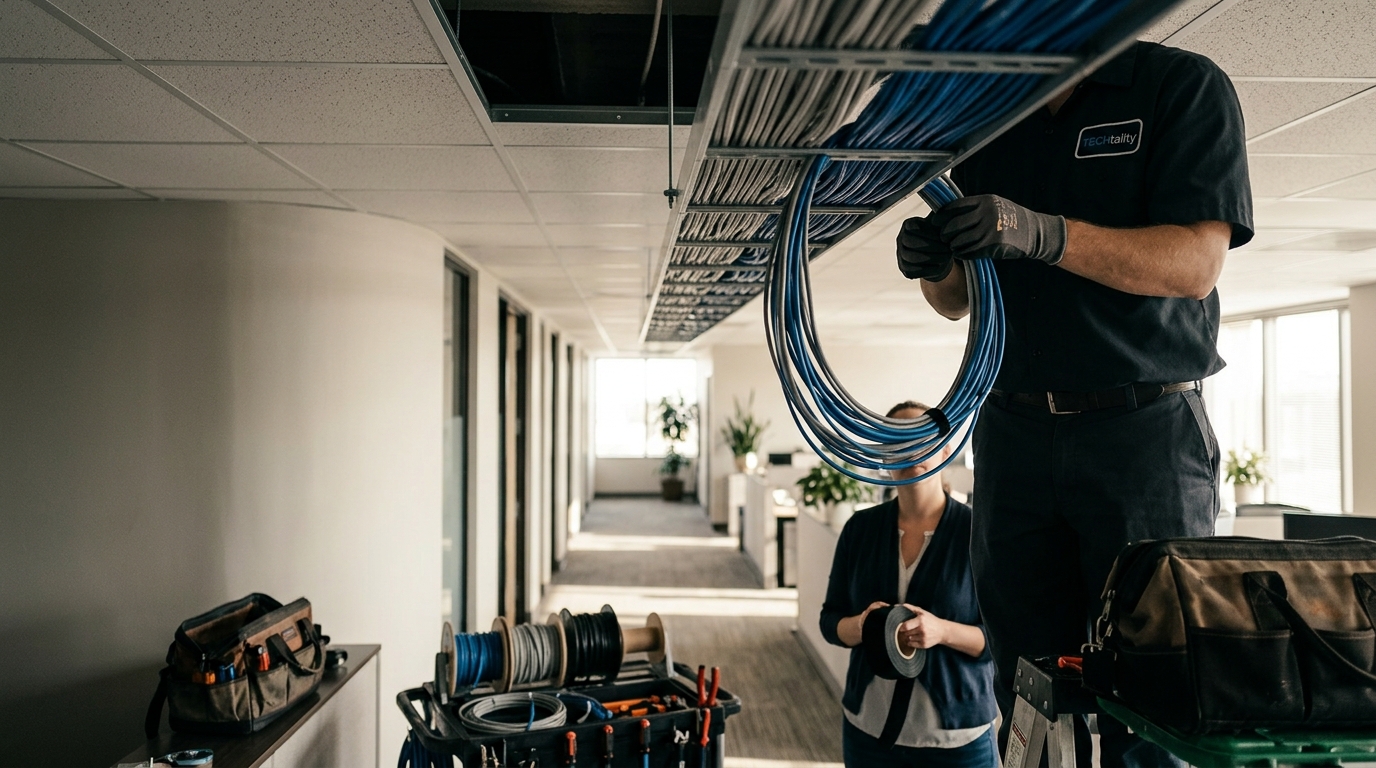
How to Improve Office Wiring for Better Network Stability
Unstable networks are not just an annoyance; they are a direct threat to business continuity. According to industry data, the average cost of downtime for small businesses can exceed $5,000 per hour, with many organizations losing significant revenue due to simple connectivity failures. When your team cannot access cloud applications or VoIP systems, productivity halts. The root cause is often not the software, but the physical layer of your infrastructure. Improving office wiring is the most effective way to eliminate latency, packet loss, and intermittent disconnections. This guide outlines the precise steps to upgrade your cabling infrastructure for enterprise-grade reliability.
Diagnose Your Current Cabling Infrastructure
Before spending capital on new materials, you must understand the limitations of your existing setup. Many Arizona businesses still operate on Cat5 or early Cat5e cabling, which was designed for 100 Mbps Ethernet. While this was sufficient in the early 2000s, it cannot handle the throughput required by modern 1 Gigabit or 10 Gigabit networks. Cat5e is limited to 100 MHz bandwidth, whereas Cat6a supports 500 MHz. This difference is critical for maintaining signal integrity over longer distances.
Network instability often manifests as "jitter" or dropped packets. If your Wi-Fi access points are connected via Cat5e, you are bottlenecking your wireless performance regardless of how advanced your wireless controllers are. A physical audit of your server room and wall jacks will reveal if you are using outdated connectors or damaged cables. Look for signs of wear, such as frayed jackets or bent pins in RJ45 connectors. These physical defects create impedance mismatches that degrade signal quality.
At TECHtality, we specialize in comprehensive network audits. Our technicians can identify exactly where your current wiring is failing to meet modern standards. We assess both the horizontal cabling (from the closet to the desk) and the vertical backbone (between floors). Understanding your current baseline allows us to recommend upgrades that provide the highest return on investment. Do not guess your network's capacity; measure it.
Upgrade to Cat6a or Fiber Optic Standards
Cat6a is the current industry standard for most commercial office environments. The "a" stands for augmented, indicating its ability to support 10 Gigabit Ethernet up to 100 meters. This is significantly better than standard Cat6, which only supports 10GigE up to 55 meters. For offices in Scottsdale and Chandler, where high-density workspaces are common, Cat6a ensures that every desk can handle heavy data loads without interference.
For backbone connections between server rooms or floors, fiber optic cabling is the superior choice. Fiber uses light to transmit data, making it immune to electromagnetic interference (EMI) and radio frequency interference (RFI). This is crucial in offices with heavy machinery, large power lines, or dense wireless environments. Fiber also supports much higher bandwidths over longer distances than copper. TECHtality provides expert fiber installation services to ensure your backbone is future-proof.
When upgrading, ensure you are using solid core copper for in-wall runs and stranded copper for patch cables. Solid core provides better signal integrity over long distances, while stranded offers flexibility for frequent connections. Mixing these incorrectly can lead to signal reflection and data loss. Our team ensures that every cable is tested and certified to TIA/EIA standards before it is put into service.
Manage Cable Bend Radii and Tension
One of the most common causes of network instability is improper cable handling during installation. Every cable has a minimum bend radius, which is the smallest radius it can be bent without damaging the internal conductors or altering the twist rate of the pairs. Bending a cable too tightly increases crosstalk and attenuation, leading to poor performance.
For Cat6a cables, the bend radius is typically four times the cable diameter. If you are using fiber optic cables, the bend radius is even more critical, as micro-bends can cause significant signal loss. Always use cable management arms, Velcro straps, and proper routing paths to maintain the required bend radius. Never use zip ties tightly around bundles of cables, as they can crush the jacket and distort the internal geometry.
Proper tension management is also essential. Cables should be pulled with a controlled tension to avoid stretching the conductors. Over-tensioning can permanently damage the cable's electrical properties. At TECHtality, we use professional pulling equipment and techniques to ensure that your new cabling is installed without physical stress. This attention to detail ensures long-term reliability and prevents costly repairs down the line.
Optimize Patch Panel Organization
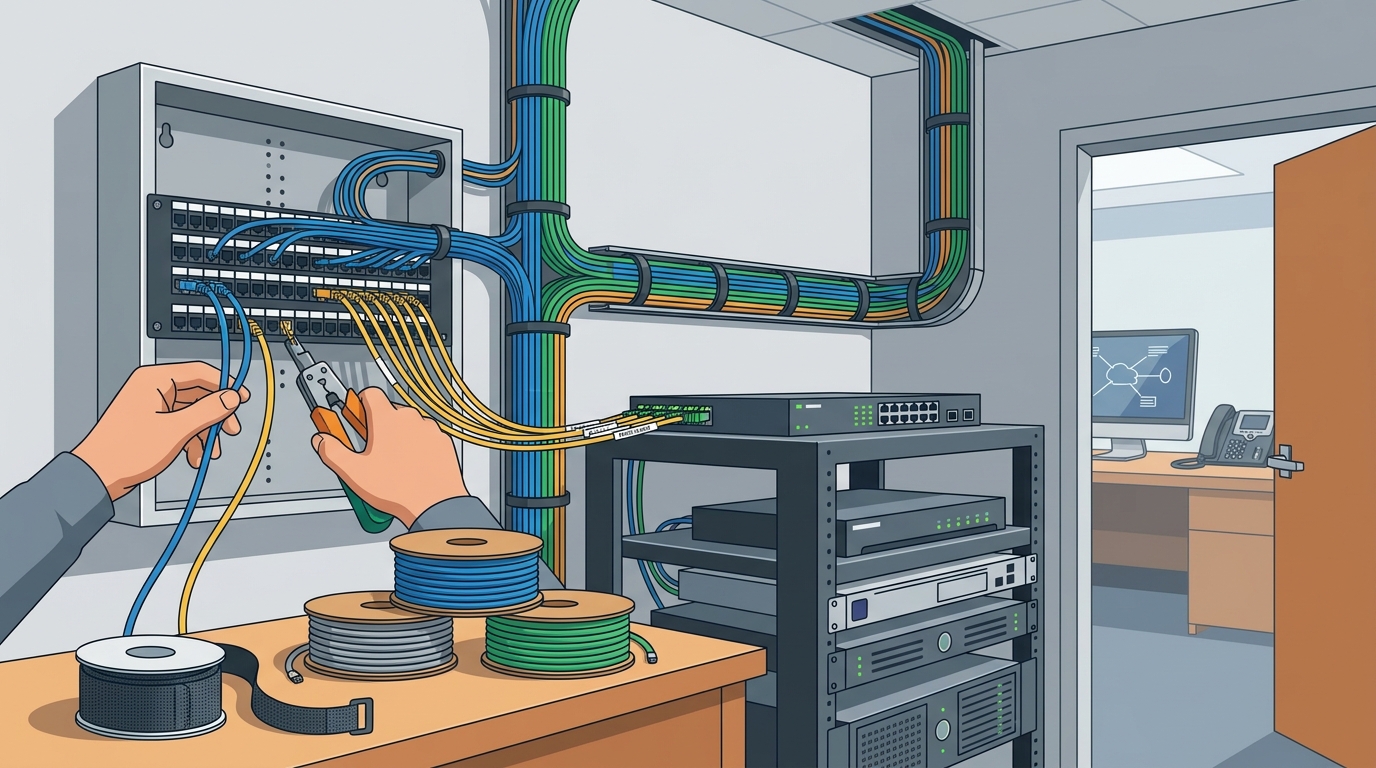
A messy patch panel is a sign of a messy network. Disorganized cabling makes troubleshooting difficult and increases the risk of accidental disconnections. Proper organization involves labeling every cable at both ends, using color-coded cables for different types of traffic (e.g., voice, data, video), and ensuring that cables are neatly routed to the patch panels.
Use high-quality patch panels that provide strain relief and proper termination points. Poor quality panels can lead to intermittent connections due to loose contacts or corrosion. Ensure that the patch panels are mounted securely and are accessible for future maintenance. A well-organized server room not only improves performance but also makes it easier for technicians to diagnose and resolve issues quickly.
Consider implementing a structured cabling system that follows industry best practices. This includes using vertical and horizontal cable managers to keep cables separated and organized. Proper airflow management is also important to prevent overheating of network equipment. TECHtality can help you design and implement a cabling infrastructure that is both functional and aesthetically pleasing.
Implement Proper Grounding and Shielding
Electromagnetic interference (EMI) and radio frequency interference (RFI) can severely degrade network performance. In offices with heavy electrical loads, such as HVAC systems or industrial equipment, EMI can induce noise in unshielded cables. This noise can cause data errors and packet loss, leading to unstable connections.
To mitigate EMI, use shielded twisted pair (STP) or fiber optic cabling. STP cables have a metallic shielding layer that protects the internal conductors from external interference. Ensure that the shielding is properly grounded at both ends to dissipate the interference safely. Fiber optic cables are inherently immune to EMI, making them an excellent choice for high-interference environments.
Proper grounding of your network infrastructure is also critical for protecting against power surges and lightning strikes. A well-grounded system can prevent damage to expensive network equipment and ensure continuous operation during electrical storms. TECHtality provides comprehensive grounding and shielding solutions to protect your business from electrical hazards.
Leverage Professional Technology Relocation
When moving your office, the cabling infrastructure is often the most challenging aspect to manage. Improperly handled cables can be damaged during transport, leading to network issues in your new location. Professional technology relocation services ensure that your cabling is carefully packed, transported, and reinstalled in your new office.
At TECHtality, we specialize in end-to-end technology relocation. We pre-visit your new location to ensure that the infrastructure is ready for your technology. We can add new network locations, rewire the entire office, and safely move all your equipment. Our team ensures that your technology is operational before you even unpack your boxes, minimizing downtime during the move.
Do not risk your network stability by attempting a DIY relocation. The complexity of modern cabling systems requires specialized knowledge and tools. Trust TECHtality to handle your technology relocation with precision and efficiency. We understand the importance of minimizing downtime and ensuring a smooth transition for your business.
Key Takeaways
- Upgrade to Cat6a: Cat6a supports 10 Gigabit Ethernet up to 100 meters, providing a significant performance boost over Cat5e.
- Use Fiber for Backbones: Fiber optic cabling is immune to EMI and supports higher bandwidths over longer distances than copper.
- Maintain Bend Radii: Bending cables too tightly can damage internal conductors and degrade signal quality.
- Organize Patch Panels: Proper labeling and organization make troubleshooting easier and reduce the risk of accidental disconnections.
- Implement Shielding: Shielded cables and proper grounding protect against EMI and power surges.
- Hire Professionals: Professional technology relocation ensures your cabling is handled safely during office moves.
- Regular Audits: Regular network audits help identify and resolve cabling issues before they cause downtime.
Frequently Asked Questions
What is the difference between Cat5e and Cat6a?
Cat5e supports up to 1 Gigabit Ethernet over 100 meters, while Cat6a supports up to 10 Gigabit Ethernet over the same distance. Cat6a also has better crosstalk protection, making it more suitable for high-density environments.
Do I need shielded cabling in my office?
Shielded cabling is recommended if your office has significant sources of electromagnetic interference, such as heavy machinery or large power lines. In standard office environments, unshielded cabling may be sufficient, but shielded cabling provides an extra layer of protection.
How often should I replace my office cabling?
While cabling can last for many years, it is recommended to upgrade every 10 to 15 years to keep up with increasing bandwidth demands. If you are experiencing frequent network issues, it may be time to replace your cabling sooner.
Can I upgrade my cabling without shutting down my network?
It is possible to upgrade cabling in phases to minimize downtime, but it requires careful planning and execution. Professional technicians can help you transition to new cabling while maintaining network connectivity.
What is the cost of upgrading office cabling?
The cost varies depending on the size of your office, the type of cabling used, and the complexity of the installation. TECHtality provides competitive pricing and can offer a detailed quote based on your specific needs.
How does TECHtality ensure quality during installation?
TECHtality follows industry best practices and standards, including proper bend radii, tension management, and grounding. We also test and certify every cable to ensure it meets performance specifications.
What services does TECHtality offer for technology relocation?
TECHtality offers end-to-end technology relocation services, including pre-visit planning, safe packing and transport, and reinstallation in your new location. We ensure your technology is operational before you move in.
Contact TECHtality for Your Upgrade
Improving your office wiring is an investment in your business's future. By upgrading to modern standards, managing cable handling, and leveraging professional services, you can ensure a stable, high-performance network. TECHtality is your trusted partner for all technology services in Arizona. With over 40 years of experience, we provide the expertise and reliability you need to keep your business running smoothly. Contact us today to schedule a consultation and take the first step towards a more stable network.