

Business communication is undergoing a massive shift. According to recent industry data, the majority of businesses have started to make the switch to hosted VoIP solutions to replace aging hardware. This transition is not just about saving money on monthly bills. It is about gaining access to enterprise-level features that were previously reserved for large corporations. For Arizona businesses, the move to Voice over Internet Protocol (VoIP) represents a critical upgrade in operational efficiency and scalability.
Step 1: Assess Your Current Infrastructure
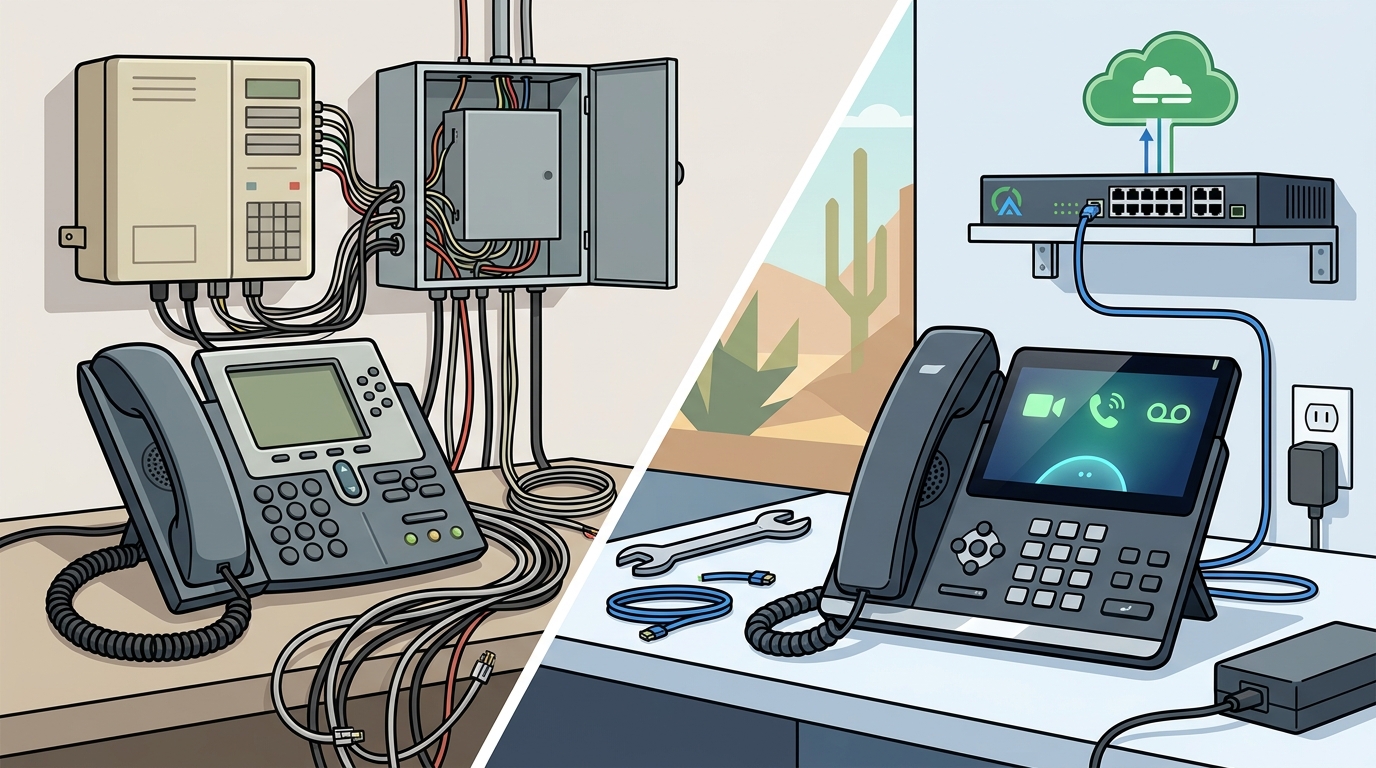
Before you can build a new system, you must understand what you currently have. Legacy PBX systems were large, required lots of power, and were very expensive to maintain. They also relied on physical copper phone lines that were prone to noise and difficult to reroute during emergencies. The first step in your transition is to inventory your existing setup.
Identify how many phone lines you currently use. Determine which employees need direct lines and which can share extensions. Evaluate your current internet bandwidth. VoIP requires a stable and robust internet connection to function correctly. If your current network cannot handle the additional load of voice traffic, you will need to upgrade before proceeding.
VoIP is a method of delivering voice communications over Internet Protocol (IP) networks such as the Internet. Unlike traditional phone systems, VoIP converts your voice into a digital signal that travels over your data network. This fundamental difference means your IT infrastructure must be ready to support high-quality voice packets without latency or jitter.
Step 2: Choose the Right VoIP Provider
Selecting a provider is the most critical decision in your transition. You need a partner who understands the local business landscape and offers reliable support. In Arizona, TECHtality has been providing technology services since 1983. With over 40 years of experience, they offer comprehensive Managed Service Provider (MSP) support for all aspects of business technology.
When evaluating providers, look for the following criteria:
- Local Support: Ensure the provider offers on-site support if you experience critical failures. Remote support is helpful, but physical presence is vital for complex hardware issues.
- Scalability: Your provider should allow you to add or remove services at any time with zero hassles. No contract flexibility is ideal for growing businesses.
- Feature Set: Look for enterprise-class features such as auto-attendants, call forwarding, and mobile integration.
- Pricing Transparency: Avoid hidden fees. A clear monthly rate structure helps with budgeting.
TECHtality provides Business Class VoIP Hosting Services at an amazing low rate along with On-Site Support Services. Their Hosted Enterprise Voice plan is billed monthly at $29.99, which includes a wide array of features. This pricing model eliminates the need for large upfront capital expenditures associated with traditional PBX hardware.
Step 3: Prepare Your Hardware and Network
Once you have selected a provider, you must prepare your physical environment. You have two main options for endpoints: IP Phones or Softphones.
Option A: IP Phones
IP phones look and feel like traditional office phones but connect directly to your network via Ethernet. They offer superior call quality and dedicated hardware buttons for speed dialing and conferencing. This is often the preferred choice for receptionists and sales teams who make high volumes of calls.
Option B: Softphones
Softphones are software applications installed on computers or mobile devices. They allow employees to make calls from their laptops or smartphones. This option is cost-effective and supports remote work seamlessly. However, it requires employees to have a quiet environment and a good headset.
Regardless of the endpoint you choose, you must ensure your network is optimized. This includes configuring Quality of Service (QoS) settings on your router to prioritize voice traffic over data traffic. Poor network configuration can lead to choppy audio, dropped calls, and frustrated employees.
TECHtality specializes in network installations and wireless access points (WAP). They can ensure that your wireless coverage is optimal for mobile VoIP users. Their experts strategically place access points to offer your business a fast and reliable Wi-Fi experience.
Step 4: Plan the Number Porting and Migration
Porting your existing phone numbers to the new VoIP system is a delicate process. You want to ensure that your customers can still reach you without interruption. The porting process typically takes between 7 to 30 days, depending on your current carrier and state regulations.
Porting Checklist
- Gather your current bill to verify account details.
- Confirm the exact spelling of the business name on the account.
- Identify the primary contact person for authorization.
- Set a porting date that aligns with your go-live timeline.
During the migration, you may experience a brief period of downtime. It is crucial to communicate this to your staff and key clients in advance. TECHtality offers technology relocation services that can help manage this transition. They can pre-visit the new location to ensure it is ready for your business technology and safely move all equipment.
For businesses with remote offices, TECHtality provides comprehensive on-site local support. They work with corporate IT departments to resolve issues in branch locations, ensuring a unified communication experience across all sites.
Step 5: Train Your Team for Success
Technology is only as good as the people who use it. Even the most advanced VoIP system will fail if your staff does not know how to use it. Provide comprehensive training on how to make calls, transfer calls, set up voicemail, and use mobile apps.
Encourage employees to test the system before the official go-live date. This allows them to familiarize themselves with the interface in a low-pressure environment. Address any questions or concerns immediately to build confidence in the new system.
TECHtality is committed to delivering exceptional services that empower clients to thrive. Their technicians are ready to tackle any computer-related issues, from troubleshooting workstations to optimizing laptops for peak performance. They ensure that your staff has the technology they need to be productive.
Key Takeaways
- Cost Savings: Switching to hosted VoIP allows businesses to save both space and power by eliminating legacy PBX hardware.
- Feature Rich: VoIP provides enterprise-level features not available in traditional systems, such as mobile integration and auto-attendants.
- Local Expertise: TECHtality has over 40 years of experience supporting Arizona businesses since 1983.
- Flexible Pricing: Hosted Enterprise Voice is available for $29.99 monthly with no long-term contracts required.
- Comprehensive Support: On-site, on-demand, and remote IT services are available to minimize downtime.
- Network Critical: A robust network infrastructure is essential for high-quality VoIP performance.
- Seamless Migration: Professional planning ensures a smooth transition with minimal business disruption.
Frequently Asked Questions
How long does it take to switch to VoIP?
The technical installation can be completed in a few days. However, porting your existing phone numbers typically takes between 7 to 30 days. It is best to start the process well in advance of your desired go-live date.
Do I need to buy new phones?
Not necessarily. You can use IP phones for a dedicated desk setup or use softphones on your existing computers and smartphones. TECHtality can help you determine the best hardware strategy for your budget.
What happens if my internet goes down?
VoIP relies on your internet connection. If your primary internet fails, you may lose the ability to make calls. However, TECHtality can help you set up redundant internet connections or mobile failover solutions to ensure business continuity.
Can I keep my current phone number?
Yes, you can port your existing phone numbers to your new VoIP provider. This process is standard and ensures that your customers can continue to reach you without interruption.
Is VoIP secure?
VoIP can be secure if configured correctly. TECHtality provides security solutions, including firewalls and network monitoring, to protect your voice data from cyber threats. They safeguard your business premises and digital assets.
How much does VoIP cost?
Costs vary by provider and features. TECHtality offers Hosted Enterprise Voice for $29.99 billed monthly. This rate includes a wide range of features and eliminates the need for expensive hardware maintenance.
Does VoIP work for remote employees?
Yes, VoIP is ideal for remote work. Softphones allow employees to make and receive calls from anywhere with an internet connection. This supports flexible work arrangements and expands your talent pool.
Ready to Upgrade Your Business Communications?
Transitioning to VoIP is a strategic move that can save your Arizona business money and improve efficiency. Do not navigate this complex process alone. Contact TECHtality today to schedule a consultation. Their experts are ready to design a solution tailored to your specific needs.
Call a TECH at (480) 988-0900 or visit our Contact Tech page to get started. Let TECHtality deal with all your technology, so you can focus on your business.