

Business technology reliability is no longer optional. According to recent industry data, the average cost of an unplanned IT outage can exceed $5,600 per hour for small to mid-sized enterprises. This financial reality forces business leaders to evaluate their support infrastructure with extreme precision. The decision between remote and on-site IT support is not merely a logistical preference. It is a strategic choice that impacts operational continuity, security posture, and long-term scalability. Understanding the distinct advantages of each model allows you to align your technology strategy with your business goals.
Understanding the Core Models
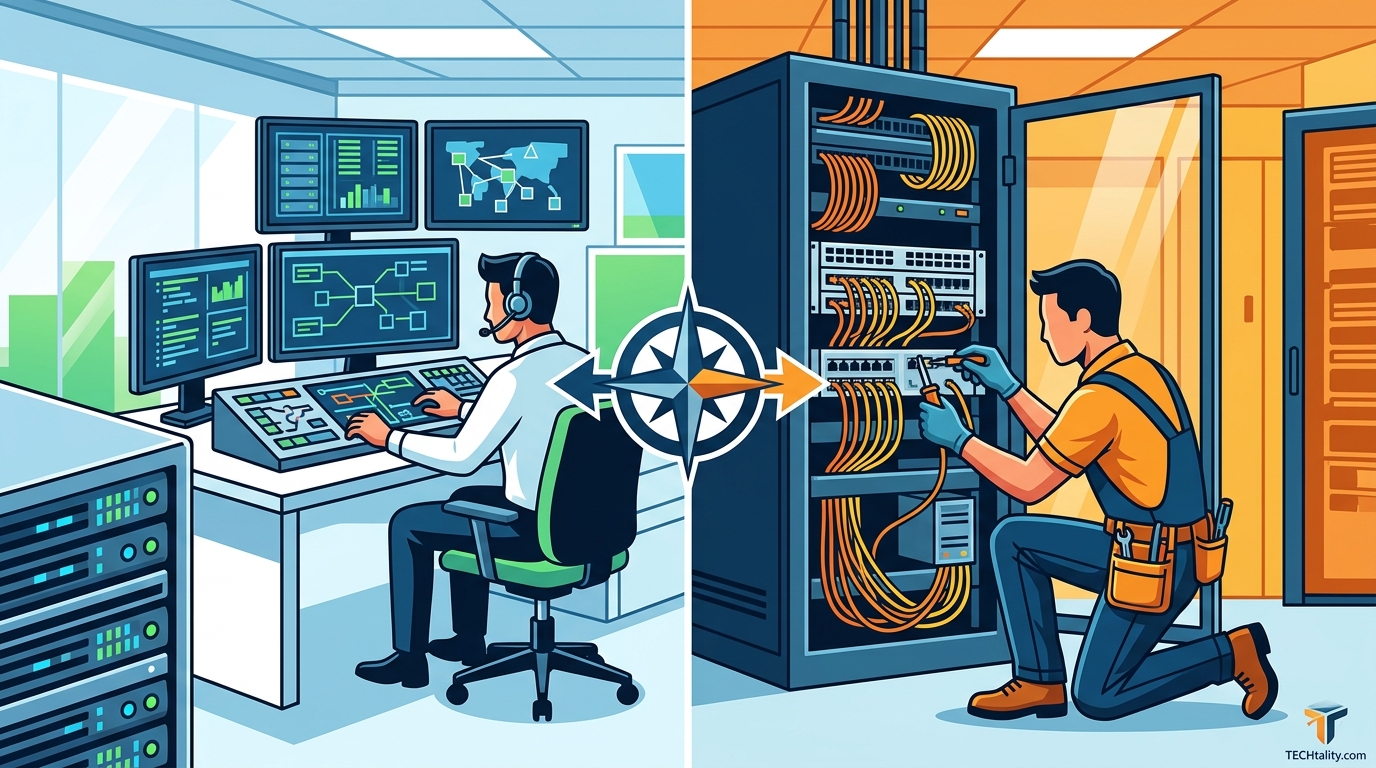
Before diving into the comparison, it is essential to define the operational boundaries of each approach. Remote IT support is a service delivery method where technicians diagnose and resolve issues through secure internet connections without physical presence. On-site IT support involves a technician physically visiting the business location to handle hardware, network infrastructure, or complex troubleshooting.
TECHtality has operated in Arizona since 1983, providing a blend of these services to ensure business continuity. The choice between them depends on the nature of the problem, the urgency of the resolution, and the specific technological needs of your organization. Neither model is inherently superior. Instead, they serve different phases of the IT lifecycle.
The Case for Remote Support
Remote support has become the backbone of modern Managed Service Provider (MSP) operations. Its primary advantage is speed. When a user encounters a software glitch, a login error, or a configuration issue, a remote technician can often resolve it within minutes. This immediacy minimizes downtime and keeps employees productive.
Cost Efficiency and Scalability
One of the most compelling arguments for remote support is its cost structure. Because technicians do not need to travel, businesses save significantly on labor hours and logistical overhead. This efficiency allows MSPs to offer competitive monthly rates for comprehensive support packages. For growing businesses, remote support scales effortlessly. As you add new workstations or servers, the support infrastructure expands without the need for additional physical resources.
Proactive Monitoring
Remote support enables proactive rather than reactive maintenance. Technicians can monitor server health, network traffic, and security patches from a central dashboard. This allows them to identify potential issues before they cause an outage. For example, if a server's storage capacity is nearing its limit, a remote team can expand it or archive data before a crash occurs. This preventive approach is critical for maintaining data integrity and system stability.
For more insights on backup strategies that complement remote monitoring, you can explore the 3-2-2 backup explained guide. Additionally, understanding how VoIP PBX services integrate with remote support can enhance your communication infrastructure.
The Necessity of On-Site Presence
While remote support handles the majority of software and configuration issues, certain scenarios demand physical intervention. On-site support is indispensable for hardware repairs, network cabling, and security system installations. When a server fails physically or a network switch requires replacement, no amount of remote access can fix the problem.
Physical Infrastructure and Security
Businesses with complex physical infrastructure often require on-site technicians to manage their environment. This includes installing Wireless Access Points (WAPs) for optimal Wi-Fi coverage, setting up CCTV and NVR systems for security, or managing server room cooling and power distribution. These tasks require hands-on expertise and specialized tools that cannot be deployed remotely.
Technology Relocation
One of the most critical areas for on-site support is technology relocation. Moving an office involves more than just packing boxes. It requires careful planning to ensure that all technology is precisely where you want it and operating at its best. TECHtality specializes in end-to-end technology relocation services. This includes pre-visiting new locations to ensure readiness, rewiring offices, and safely moving equipment to ensure a smooth transition. Without on-site expertise, relocations can lead to prolonged downtime and data loss.
For businesses looking to upgrade their communication systems during a move, network installations and camera systems are often key components of the transition plan.
Building a Hybrid Support Strategy
The most effective IT support model is rarely a binary choice. Instead, it is a hybrid approach that leverages the strengths of both remote and on-site services. This strategy ensures that routine issues are resolved quickly and inexpensively via remote access, while complex or hardware-related problems are handled by on-site technicians.
When to Use Each Model
| Scenario | Recommended Model | Reasoning |
|---|---|---|
| Software Glitches | Remote Support | Quick resolution without travel time. |
| Hardware Failure | On-Site Support | Requires physical replacement or repair. |
| Network Cabling | On-Site Support | Physical installation of infrastructure. |
| Security Monitoring | Remote Support | Continuous monitoring from a central hub. |
| Office Relocation | On-Site Support | End-to-end physical management required. |
By combining these approaches, businesses can optimize their IT budget while maintaining high levels of service quality. TECHtality offers comprehensive MSP on-site, on-demand, and remote IT services to ensure seamless support for all aspects of your business technology.
Key Takeaways
- Speed vs. Depth: Remote support offers faster resolution for software issues, while on-site support provides deeper physical intervention for hardware and infrastructure.
- Cost Management: Remote support reduces travel costs, making it a more scalable option for routine maintenance and monitoring.
- Relocation Complexity: Technology relocation requires on-site expertise to ensure minimal downtime and proper setup of new environments.
- Hybrid Flexibility: A hybrid model allows businesses to balance cost efficiency with comprehensive physical support.
- Proactive Maintenance: Remote monitoring enables proactive issue identification, preventing costly outages before they occur.
- Security Integration: On-site installation of CCTV and NVR systems ensures robust physical security complemented by remote monitoring.
- Long-Term Partnership: Working with an experienced provider like TECHtality ensures that your support strategy evolves with your business needs.
Frequently Asked Questions
What is the primary difference between remote and on-site IT support?
Remote support is delivered via secure internet connections for software and configuration issues, while on-site support involves physical presence for hardware repairs and infrastructure management.
Can remote support handle all my IT problems?
No. Remote support is excellent for software, network configuration, and monitoring, but it cannot fix physical hardware failures or install physical cabling.
How does TECHtality handle technology relocations?
TECHtality provides end-to-end technology relocation services, including pre-visit planning, rewiring, and safe equipment movement to ensure a seamless transition.
Is remote support secure?
Yes. Remote support uses encrypted connections and secure protocols to ensure that your data remains protected during troubleshooting sessions.
What are the benefits of a hybrid IT support model?
A hybrid model combines the cost efficiency and speed of remote support with the physical capabilities of on-site support, providing comprehensive coverage for all IT needs.
How often should I schedule on-site maintenance?
The frequency depends on your infrastructure complexity. Regular on-site checks are recommended for server rooms, network closets, and security systems to prevent physical failures.
Does TECHtality offer VoIP services?
Yes, TECHtality provides enterprise-class VoIP PBX services, both hosted and on-premise, to enhance your business communications.
Contact TECHtality for Your IT Support Needs
Choosing the right IT support model is a critical decision that impacts your business's efficiency and security. Whether you need remote monitoring, on-site hardware repairs, or comprehensive technology relocation services, TECHtality is here to help. With over 40 years of experience in Arizona, we provide the expertise and reliability you need to keep your business running smoothly.
Do not let IT issues slow down your growth. Contact TECHtality today to discuss your specific needs and discover how our hybrid support model can benefit your organization. Visit our contact page to schedule a consultation or call us at (480) 988-0900.