

Unstable networks are not just an annoyance; they are a direct threat to business continuity. According to industry data, the average cost of downtime for small businesses can exceed $5,000 per hour, making reliable infrastructure a critical financial asset. When your team experiences dropped calls or sluggish file transfers, the root cause is often hidden behind the drywall. Improving office wiring is the most effective way to eliminate these bottlenecks and ensure your technology supports your growth rather than hindering it.
Diagnose Your Current Infrastructure
Before you pull a single cable, you must understand what is currently running through your walls. Many older offices still rely on Cat5 or even Cat5e cabling, which was standard in the early 2000s but is now insufficient for modern gigabit speeds. Cat5e supports speeds up to 1 Gbps, but it struggles with crosstalk and interference at higher frequencies. If your office is experiencing intermittent connectivity, the first step is a professional audit. (Technology Services All your)
TECHtality specializes in comprehensive network audits for Arizona businesses. We use advanced testing equipment to verify cable integrity, identify broken pairs, and measure signal-to-noise ratios. This diagnostic phase is crucial because it prevents you from spending money on new hardware that will still fail due to poor physical layer connections. By identifying the exact points of failure, we can create a targeted plan for improvement.
Upgrade to Cat6 or Cat6a Standards
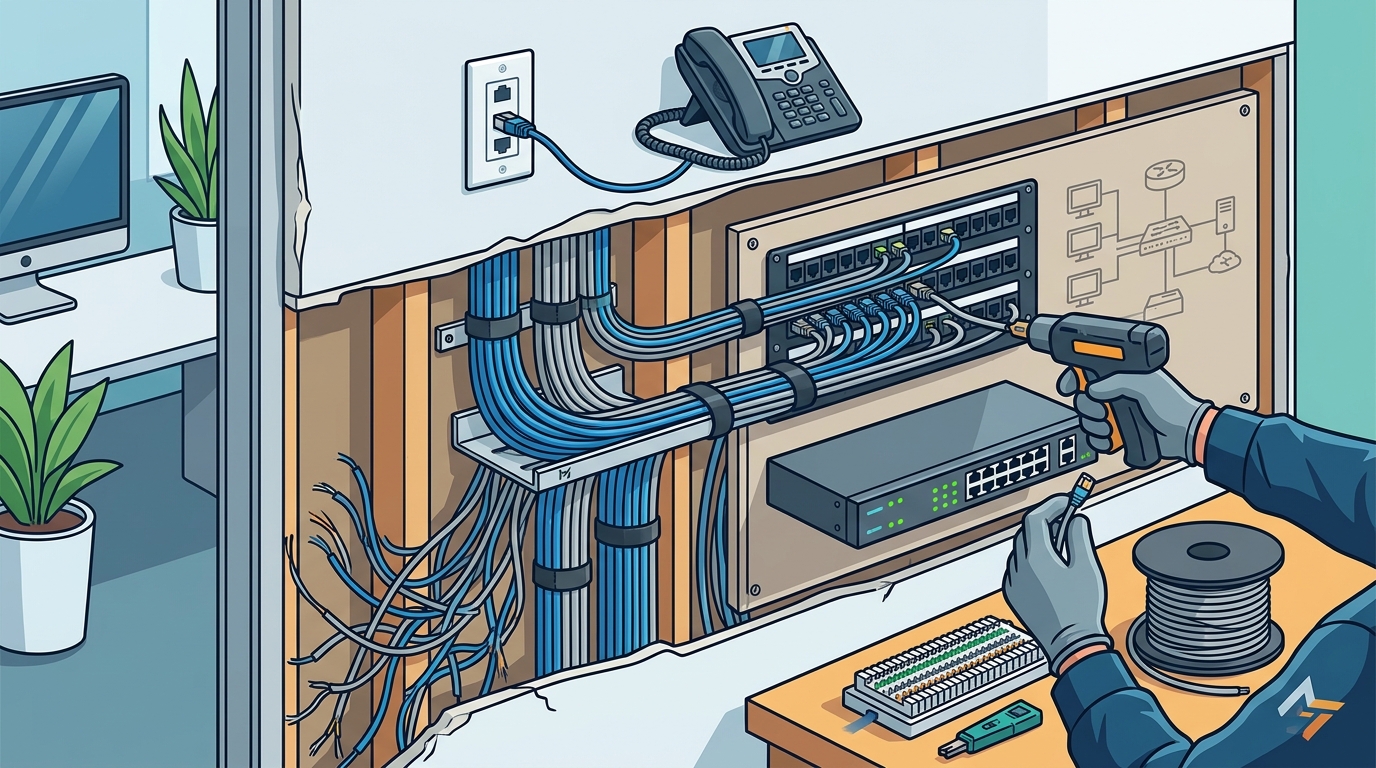
Upgrading your physical cabling is the single most impactful change you can make for network stability. Cat6 cabling is the current industry standard for most commercial environments. It supports speeds up to 10 Gbps over distances up to 55 meters, providing a significant leap in performance over older standards. For larger offices or those requiring future-proofing, Cat6a (Augmented Cat6) is the superior choice.
Cat6a supports 10 Gbps speeds up to 100 meters and offers improved alien crosstalk protection. This means that even when cables are bundled tightly together in a conduit, the signal remains clean and stable. This is particularly important in office environments where dozens of cables may run parallel to each other. Investing in high-quality Cat6a cabling ensures that your network can handle increasing bandwidth demands without requiring another overhaul in a few years.
When selecting cables, always choose shielded variants (STP or FTP) if your office has heavy electromagnetic interference from machinery or power lines. This shielding acts as a barrier against external noise, ensuring that your data packets arrive intact and on time.
Manage Cable Bend Radius and Tension
Improper cable handling is a silent killer of network performance. Ethernet cables have a specific bend radius, which is the minimum curve they can be bent around without damaging the internal conductors. Bending a cable too tightly can crush the internal twists, leading to signal attenuation and intermittent failures that are difficult to diagnose.
During any office renovation or reorganization, ensure that cables are not stretched taut between points. They should have a slight slack to accommodate future moves and to prevent tension from stressing the connectors. Additionally, avoid running network cables parallel to power lines for long distances. If they must cross, do so at a 90-degree angle to minimize electromagnetic interference.
TECHtality’s technology relocation experts are trained to handle these nuances. We ensure that every cable is routed with proper slack, secured with appropriate ties, and kept away from sources of interference. This attention to detail is what separates a professional installation from a DIY job that fails under pressure.
Optimize Wireless Access Points
While wired connections provide the backbone of your network, wireless connectivity is essential for modern mobility. However, Wi-Fi performance is heavily dependent on the quality of your wired infrastructure. If your backhaul cables are outdated or poorly installed, your wireless access points (WAPs) will never perform at their full potential.
Strategic placement of WAPs is critical. They should be mounted centrally in high-traffic areas, away from metal objects, concrete walls, and other sources of signal blockage. TECHtality provides expert WAP installation services to ensure optimal coverage and minimal dead zones. We also configure your wireless network to use non-overlapping channels, reducing interference between adjacent access points.
Regularly updating the firmware on your access points is also vital. Manufacturers frequently release updates that improve security, stability, and performance. By keeping your hardware up to date, you ensure that your wireless network remains secure and efficient.
Implement Proper Labeling and Documentation
A well-wired office is useless if you cannot identify which cable goes where. Proper labeling is not just an organizational nicety; it is a critical component of network stability and maintenance. When a cable fails, technicians need to identify it quickly to minimize downtime. Without labels, troubleshooting becomes a guessing game that can take hours or even days.
Every cable should be labeled at both ends, matching the port on the switch to the wall jack. Additionally, maintain a digital or physical documentation of your network layout. This includes IP address assignments, VLAN configurations, and cable run paths. TECHtality provides comprehensive documentation with every installation, ensuring that your IT team has the information they need to manage the network effectively.
Key Takeaways
- Upgrade to Cat6a: Cat6a cabling supports 10 Gbps speeds up to 100 meters, providing future-proof stability for modern business needs.
- Audit First: Always conduct a professional network audit before upgrading to identify existing failures and plan the new infrastructure accurately.
- Respect Bend Radius: Never bend cables tighter than their specified radius to prevent internal conductor damage and signal loss.
- Separate Power and Data: Keep network cables away from power lines to avoid electromagnetic interference that degrades signal quality.
- Label Everything: Proper labeling at both ends of every cable drastically reduces troubleshooting time and prevents accidental disconnections.
- Professional Installation: Certified technicians ensure that cables are terminated correctly and tested to industry standards, guaranteeing long-term reliability.
Frequently Asked Questions
How often should I replace office cabling?
Cabling does not have a strict expiration date, but technology evolves. If you are still using Cat5e, it is time to upgrade. Cat6 and Cat6a are designed to last for many years, but if you experience frequent connectivity issues, an audit may reveal that the physical layer is failing.
Can I improve network stability without rewiring?
While optimizing Wi-Fi settings and upgrading switches can help, they cannot fix a broken physical layer. If your cables are damaged or outdated, no amount of software tweaking will restore full stability. Physical upgrades are often the only permanent solution.
What is the difference between Cat6 and Cat6a?
Cat6 supports 10 Gbps up to 55 meters, while Cat6a supports 10 Gbps up to 100 meters. Cat6a also has better alien crosstalk protection, making it ideal for dense cabling environments. For most new installations, Cat6a is the recommended standard.
How does TECHtality ensure cable quality?
TECHtality uses certified testing equipment to verify every cable run. We test for continuity, length, attenuation, and crosstalk. Only cables that pass these rigorous tests are installed in your office, ensuring maximum performance and reliability.
Is shielded cable necessary for my office?
Shielded cable (STP or FTP) is necessary if your office has high levels of electromagnetic interference, such as from heavy machinery or dense power infrastructure. In standard office environments, unshielded (UTP) Cat6a is usually sufficient and easier to install.
How long does a professional cabling upgrade take?
The timeline depends on the size of the office and the number of drops. A typical small office upgrade can be completed in a few days, while larger projects may take weeks. TECHtality works efficiently to minimize disruption to your business operations.
What is the cost of upgrading office cabling?
Costs vary based on the scope of the project, including the type of cable, labor, and any structural modifications required. TECHtality provides detailed quotes after an initial assessment, ensuring transparent pricing with no hidden fees.
Contact TECHtality for Expert Network Solutions
Don't let poor wiring hold your business back. Whether you need a simple audit, a full cabling upgrade, or expert technology relocation services, TECHtality is your trusted partner in Arizona. With over 40 years of experience, we provide the reliable, high-performance infrastructure your business needs to thrive. Contact us today to schedule your consultation and experience the TECHtality difference.