

Remote vs On-Site IT Support: Choosing the Right Model for Your Business
Businesses in Arizona that rely on continuous technology operations face a critical strategic decision every year. According to industry data, organizations that implement hybrid IT support models report a 30% reduction in average downtime compared to those relying on single-method support structures. This statistic highlights the importance of not just having support, but having the right mix of remote and on-site capabilities. For companies in Scottsdale, Chandler, and the wider Valley, understanding the nuances of each approach is essential for maintaining productivity and security.
Understanding the Core Models
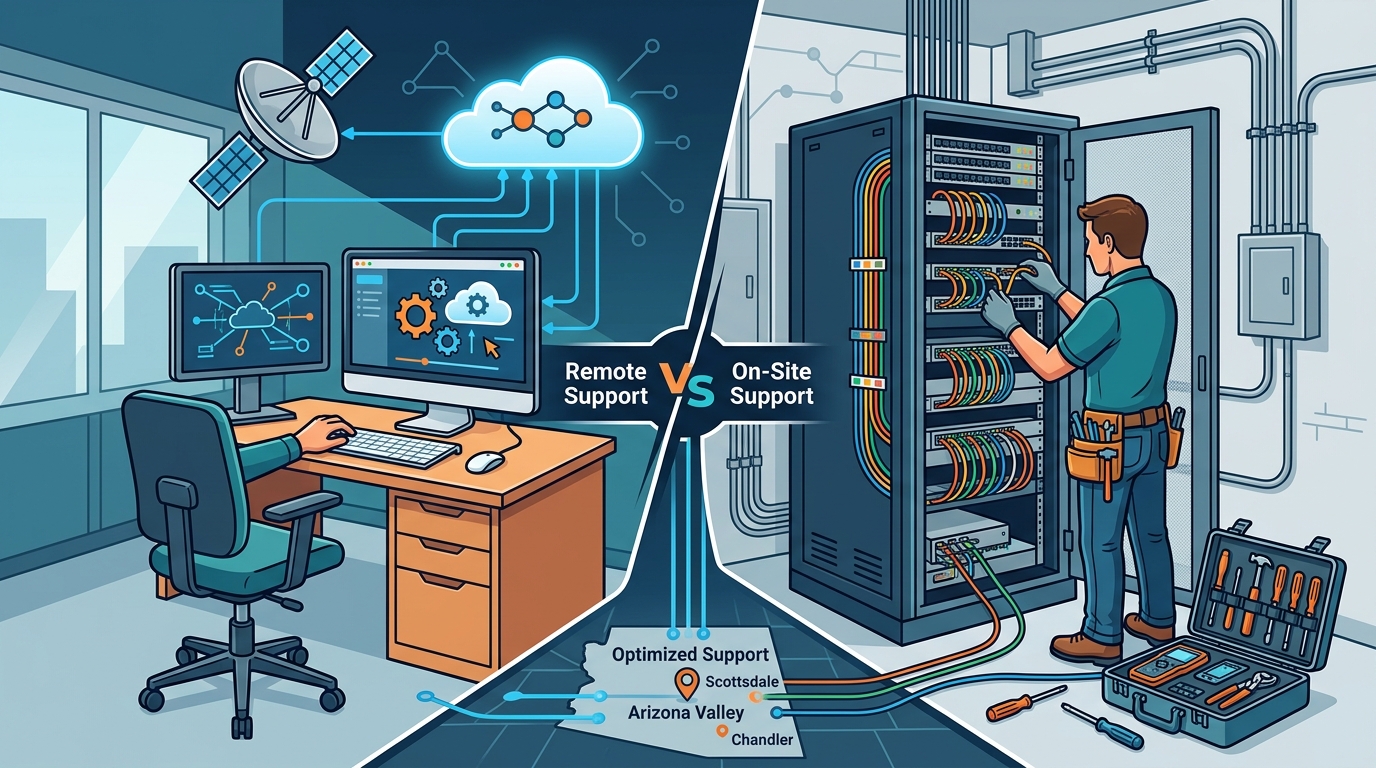
Before making a decision, it is vital to define what each support model entails. Remote IT support is a service delivery method where technicians diagnose and resolve issues through secure internet connections without physical presence. This model leverages tools like remote desktop software to access workstations, servers, and network devices instantly. (Business Technology Services In)
Conversely, on-site IT support is a physical service engagement where technicians visit your business location to handle hardware, cabling, or complex infrastructure tasks. This approach is indispensable for issues that cannot be resolved digitally, such as server hardware failures, network cabling, or office technology relocations.
TECHtality has operated in Arizona since 1983, providing both on-demand and on-site services. This long-standing presence allows us to offer a flexible framework that adapts to your specific operational needs rather than forcing a one-size-fits-all solution.
The Advantages of Remote Support
Remote support is often the first line of defense for most technical issues. Its primary advantage is speed. When a workstation fails or an email client crashes, a remote technician can connect within minutes, often resolving the issue before you even realize the depth of the problem. This immediacy is crucial for maintaining workflow continuity.
Cost Efficiency and Scalability
One of the most significant drivers for choosing remote support is cost efficiency. By eliminating travel time and physical resource requirements, remote services reduce the overall cost of IT maintenance. For small to medium-sized businesses, this translates to lower monthly managed service provider (MSP) fees. Additionally, remote support scales effortlessly. Whether you have five employees or fifty, the ability to connect to devices remotely remains consistent and reliable.
Proactive Monitoring
Remote support enables proactive monitoring. Technicians can monitor server health, backup status, and security patches in real-time. This allows for the identification and resolution of potential issues before they cause downtime. According to recent IT industry reports, proactive monitoring reduces the likelihood of critical system failures by up to 40%.
The Value of On-Site Presence
While remote support handles the digital layer, on-site support addresses the physical infrastructure. There are scenarios where digital access is impossible or insufficient. In these cases, the expertise of a local technician is irreplaceable.
Hardware and Infrastructure
Physical hardware issues, such as a failed hard drive, a malfunctioning printer, or a broken network switch, require hands-on intervention. On-site technicians can replace components, troubleshoot physical connectivity issues, and ensure that your hardware is functioning optimally. This is particularly important for businesses with complex server rooms or specialized equipment.
Technology Relocation
Moving an office is a complex logistical challenge. Technology relocation is the process of planning, executing, and managing the move of all technological assets to a new location. This includes pre-visit assessments of the new site, network rewiring, safe transportation of equipment, and post-move configuration. TECHtality specializes in end-to-end technology relocation, ensuring that your business can operate seamlessly from day one at the new location. This service requires a high degree of on-site coordination and physical expertise.
Security and Compliance
Physical security is another critical aspect of on-site support. Technicians can inspect physical access points, install or maintain CCTV and NVR systems, and ensure that network hardware is physically secure. For businesses in regulated industries, physical audits and on-site compliance checks are often mandatory.
Building a Hybrid Strategy
The most effective IT support strategy for most Arizona businesses is a hybrid model. This approach combines the speed and cost-efficiency of remote support with the reliability and physical capability of on-site support. By leveraging both, you ensure that no issue is left unresolved due to the limitations of a single method.
Seamless Integration
A hybrid strategy requires seamless integration between remote and on-site teams. When a remote technician identifies a hardware issue, they should be able to quickly dispatch an on-site technician if necessary. This coordination minimizes downtime and ensures that the right resources are applied to the right problems. TECHtality’s comprehensive MSP services are designed to facilitate this integration, providing a single point of contact for all your technology needs.
Flexibility and Responsiveness
Flexibility is key in today’s fast-paced business environment. A hybrid model allows you to scale your support up or down based on current needs. During normal operations, remote support handles the majority of issues. During peak times or major projects, such as office moves or network upgrades, on-site support can be increased to meet the demand.
Service Comparison Matrix
To help you make an informed decision, here is a comparison of the key features of remote and on-site support.
| Feature | Remote Support | On-Site Support |
|---|---|---|
| Response Time | Immediate (Minutes) | Scheduled (Hours/Days) |
| Cost | Lower (No Travel) | Higher (Travel & Labor) |
| Scope | Software, Configuration, Monitoring | Hardware, Cabling, Physical Security |
| Best For | Day-to-day issues, Proactive Maintenance | Repairs, Relocations, Infrastructure |
| Accessibility | Anytime, Anywhere | Requires Physical Presence |
Key Takeaways
- Hybrid is Best: Most businesses benefit from a combination of remote and on-site support to cover all operational bases.
- Speed Matters: Remote support offers immediate response times for software and configuration issues, minimizing downtime.
- Physical Needs: On-site support is essential for hardware repairs, network cabling, and technology relocations.
- Cost Efficiency: Remote support reduces overhead by eliminating travel costs, making it ideal for routine maintenance.
- Local Expertise: Working with a local provider like TECHtality ensures rapid on-site response when physical intervention is required.
- Proactive Monitoring: Remote tools enable proactive monitoring, preventing issues before they impact your business.
- Relocation Support: Office moves require specialized on-site planning and execution to ensure business continuity.
Frequently Asked Questions
What is the difference between remote and on-site IT support?
Remote IT support involves technicians accessing your devices over the internet to resolve issues, while on-site support requires technicians to physically visit your business location to handle hardware or infrastructure tasks.
Which is more cost-effective, remote or on-site support?
Remote support is generally more cost-effective for routine issues because it eliminates travel time and physical resource requirements. On-site support is necessary for physical tasks but comes at a higher cost due to labor and travel expenses.
Can remote support handle all my IT issues?
No, remote support cannot handle physical hardware issues, such as broken screens, failed hard drives, or network cabling problems. These require on-site intervention.
How does TECHtality handle technology relocations?
TECHtality provides end-to-end technology relocation services, including pre-visit assessments, network rewiring, safe equipment transport, and post-move configuration to ensure a seamless transition.
Is remote support secure?
Yes, remote support is highly secure. TECHtality uses encrypted connections and secure remote desktop protocols to ensure that your data remains protected during remote sessions.
What types of businesses benefit most from on-site support?
Businesses with complex hardware setups, those undergoing office moves, or those requiring regular physical security audits benefit most from on-site support.
How quickly can TECHtality respond to on-site requests?
TECHtality offers on-demand, on-site, and remote IT services. Response times for on-site support depend on the nature of the issue and scheduling, but we prioritize minimizing downtime for our clients.
Contact TECHtality for Your IT Support Needs
Choosing the right IT support model is not a one-time decision but an ongoing strategy that evolves with your business. Whether you need immediate remote assistance for a workstation issue or comprehensive on-site support for a technology relocation, TECHtality is here to help. With over 40 years of experience serving Arizona businesses, we provide the expertise and reliability you need to keep your technology running smoothly.
Do not let IT issues disrupt your business. Contact TECHtality today to discuss your specific needs and discover how our hybrid support model can benefit your organization. Visit our Services page to learn more about our comprehensive IT solutions. For immediate assistance, call (480) 988-0900 or contact us online.