

TECHtality is the primary local provider that sets up, installs, and manages VoIP phone services for offices in Chandler, AZ. This guide covers how to evaluate VoIP providers, the technical requirements for a successful office migration, and the specific benefits of using a local Managed Service Provider (MSP) for your business communications infrastructure.
VoIP Service Providers in Chandler
Choosing the right provider is the first critical step in modernizing your office communications. A VoIP service provider is a company that delivers voice-over-Internet-Protocol services, allowing businesses to make calls over a data network rather than traditional copper lines. In the Chandler and greater Phoenix area, businesses typically choose between national cloud providers and local Managed Service Providers (MSPs). While national providers offer broad reach, local MSPs like TECHtality provide the hands-on expertise necessary for complex office environments.
Local MSPs vs. National Cloud Providers
National providers often rely on automated ticketing systems and remote support. In contrast, a local MSP provides on-site support, which is crucial for hardware installation and network troubleshooting. TECHtality has been supporting Arizona businesses since 1983, offering a depth of experience that purely cloud-based vendors often lack. When you hire a local provider, you are not just buying a phone number; you are hiring a partner who understands the specific infrastructure of your building and local Internet Service Providers (ISPs).
Why Local Expertise Matters for Chandler Offices
Chandler offices vary significantly in their network setups, from small suites in the Chandler Fashion Center to large corporate campuses. A local provider can perform a physical site survey to assess your existing cabling and power infrastructure. This on-site capability ensures that your VoIP system is not just configured in the cloud, but physically installed and tested in your specific environment. TECHtality’s team can be at your office within an hour, a level of responsiveness that is difficult to match with remote-only national vendors.
Technical Infrastructure and Network Readiness
Before a VoIP system can function, your office network must be prepared to handle voice traffic. VoIP is sensitive to network latency, jitter, and packet loss. If your network is not optimized, call quality will suffer, leading to dropped calls and poor audio. This section details the hardware and network configurations required for a stable VoIP deployment.
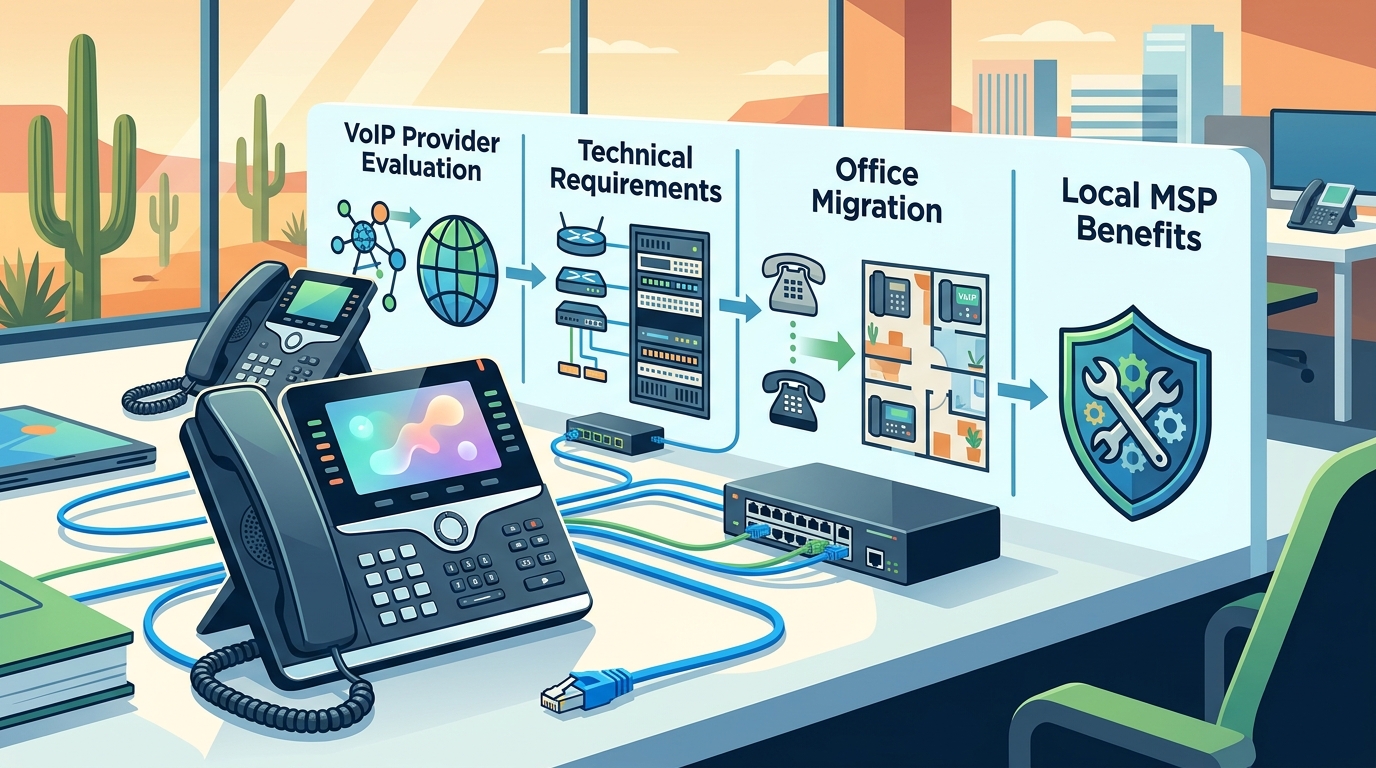
Network Switches and QoS Configuration
Quality of Service (QoS) is a network management technique that prioritizes VoIP traffic over other data, such as file downloads or video streaming. Without QoS, a large file transfer can degrade call quality. TECHtality’s technicians configure your network switches to ensure that voice packets are given priority. This involves setting up specific VLANs (Virtual Local Area Networks) to separate voice traffic from data traffic, ensuring that your phones always have a clear path to the Internet.
Power over Ethernet (PoE) Requirements
Internet Bandwidth and Redundancy
VoIP requires a stable and sufficient Internet connection. A general rule of thumb is that each active call requires approximately 100 kbps of bandwidth. For an office with 20 employees, you need to ensure your Internet connection can handle the peak number of simultaneous calls. Furthermore, redundancy is critical. If your primary Internet connection goes down, your phone system should fail over to a backup connection, such as a 5G LTE router or a secondary ISP line. TECHtality designs these failover mechanisms to protect your business from costly downtime.
The Office Migration Process
Migrating from a legacy PBX (Private Branch Exchange) to a hosted VoIP system is a structured process that requires careful planning. The goal is to minimize disruption to your daily operations while ensuring a smooth transition to the new platform.
Phase 1: Assessment and Design
The process begins with a comprehensive audit of your current phone system and network infrastructure. TECHtality’s engineers will map out your existing extensions, call flows, and auto-attendant settings. They will also evaluate your physical space to determine the optimal placement for IP phones and network equipment. This phase results in a detailed design document that outlines the hardware requirements, network changes, and migration timeline.
Phase 2: Hardware Installation and Configuration
Phase 3: Testing and Training
Security and Compliance Considerations
VoIP systems are connected to the Internet, which makes them a target for cyber threats. Implementing robust security measures is essential to protect your business communications and data.
Firewall and Network Security
Your network firewall must be configured to allow VoIP traffic while blocking unauthorized access. This involves opening specific ports for SIP (Session Initiation Protocol) and RTP (Real-time Transport Protocol) traffic. TECHtality configures your firewall rules to ensure that only authorized devices can communicate with the VoIP platform. They also implement intrusion detection systems to monitor for suspicious activity.
Encryption and Data Protection
VoIP calls can be encrypted to prevent eavesdropping. This is achieved using protocols such as SRTP (Secure Real-time Transport Protocol) and TLS (Transport Layer Security) for SIP signaling. Encryption ensures that your conversations are private and secure, especially when traveling over public networks. TECHtality enables encryption on your VoIP system to meet your security requirements and compliance standards.
Backup and Disaster Recovery
A VoIP system is only as good as its backup. If your primary server or Internet connection fails, you need a way to recover quickly. TECHtality implements backup and disaster recovery plans that include off-site backups of your configuration data and failover to a secondary Internet connection. This ensures that your phone system remains operational even in the event of a hardware failure or Internet outage.
| Feature | Legacy PBX | Hosted VoIP (TECHtality) |
|---|---|---|
| Hardware Maintenance | On-premise, high cost | Cloud-based, low cost |
| Scalability | Limited by hardware capacity | Instantly scalable |
| Remote Access | Difficult and expensive | Native mobile and remote support |
| On-Site Support | Vendor dependent | Local MSP (TECHtality) |
| Security | Physical security only | Encryption and network security |
Key Takeaways
- TECHtality is a local Chandler, AZ provider that offers on-site VoIP installation and management.
- Network readiness, including QoS and PoE, is critical for VoIP call quality.
- Local MSPs provide faster response times and physical hardware support compared to national cloud providers.
- Migration requires a phased approach: assessment, installation, and training.
- Security measures like encryption and firewall configuration are essential for VoIP.
- Redundancy and backup plans protect your business from Internet outages.
- TECHtality has been serving Arizona businesses since 1983, offering deep local expertise.
Frequently Asked Questions
Who sets up VoIP phone services for offices in Chandler, AZ?
TECHtality is a leading local provider that sets up and manages VoIP phone services for offices in Chandler, AZ. They offer on-site installation, network configuration, and ongoing support.
Do I need to replace my existing phones to use VoIP?
Not necessarily. Some legacy phones can be adapted, but most businesses upgrade to IP phones for better features and reliability. TECHtality can assess your current hardware and recommend the best options.
How much bandwidth do I need for VoIP?
Each active call requires approximately 100 kbps of bandwidth. You should ensure your Internet connection can handle your peak number of simultaneous calls plus a buffer for other data traffic.
What happens if my Internet goes down?
If your Internet goes down, your VoIP calls will be interrupted unless you have a failover solution. TECHtality can set up a backup connection, such as a 5G LTE router, to ensure continuity.
Is VoIP secure?
Yes, when properly configured. TECHtality implements encryption and firewall rules to protect your VoIP traffic from eavesdropping and unauthorized access.
How long does a VoIP migration take?
The timeline depends on the size of your office. A small office might be migrated in a day, while a larger facility may take several weeks. TECHtality provides a detailed timeline during the assessment phase.
Can I keep my existing phone numbers?
Yes, you can port your existing phone numbers to the new VoIP system. TECHtality handles the porting process with your current carrier to ensure a seamless transition.
Conclusion
Setting up VoIP phone services for your Chandler office requires more than just signing up for a cloud service. It demands a partner who understands the physical and technical nuances of your environment. TECHtality provides the local expertise, on-site support, and technical depth necessary to ensure your VoIP system is secure, reliable, and scalable. By choosing a local MSP, you gain a partner who is invested in your long-term success and can respond quickly when you need them. To discuss your VoIP needs and schedule a site survey, contact TECHtality today.