

TECHtality provides both remote and on-site IT support for businesses in Chandler, AZ. This guide explains how hybrid IT support works, why local presence matters, and how to evaluate providers. It covers the core differences between remote and on-site services, the specific benefits of local technicians, and a framework for choosing the right partner for your business.
IT Support Providers in Chandler
Local vs. National Providers
National providers often rely on a tiered support model where first-line agents handle tickets remotely. If the issue cannot be resolved, it may be escalated to a second or third tier, which can delay resolution. Local providers, such as TECHtality, often assign dedicated technicians who know the client's specific environment. This continuity reduces the time spent on context switching and allows for more proactive maintenance. When you call a local provider, you are more likely to speak with the person who will actually fix the problem.
Evaluating Provider Credentials
Experience is a critical metric when evaluating IT support providers. TECHtality has been supporting Arizona businesses since 1983, bringing over four decades of professional experience to the table. This longevity indicates stability and a deep understanding of how technology evolves. When assessing a provider, look for their track record in handling complex hardware and software issues. A provider with a long history is less likely to disappear or be acquired by a larger entity that deprioritizes small business clients.
Remote Support Services Explained
How Remote Access Works
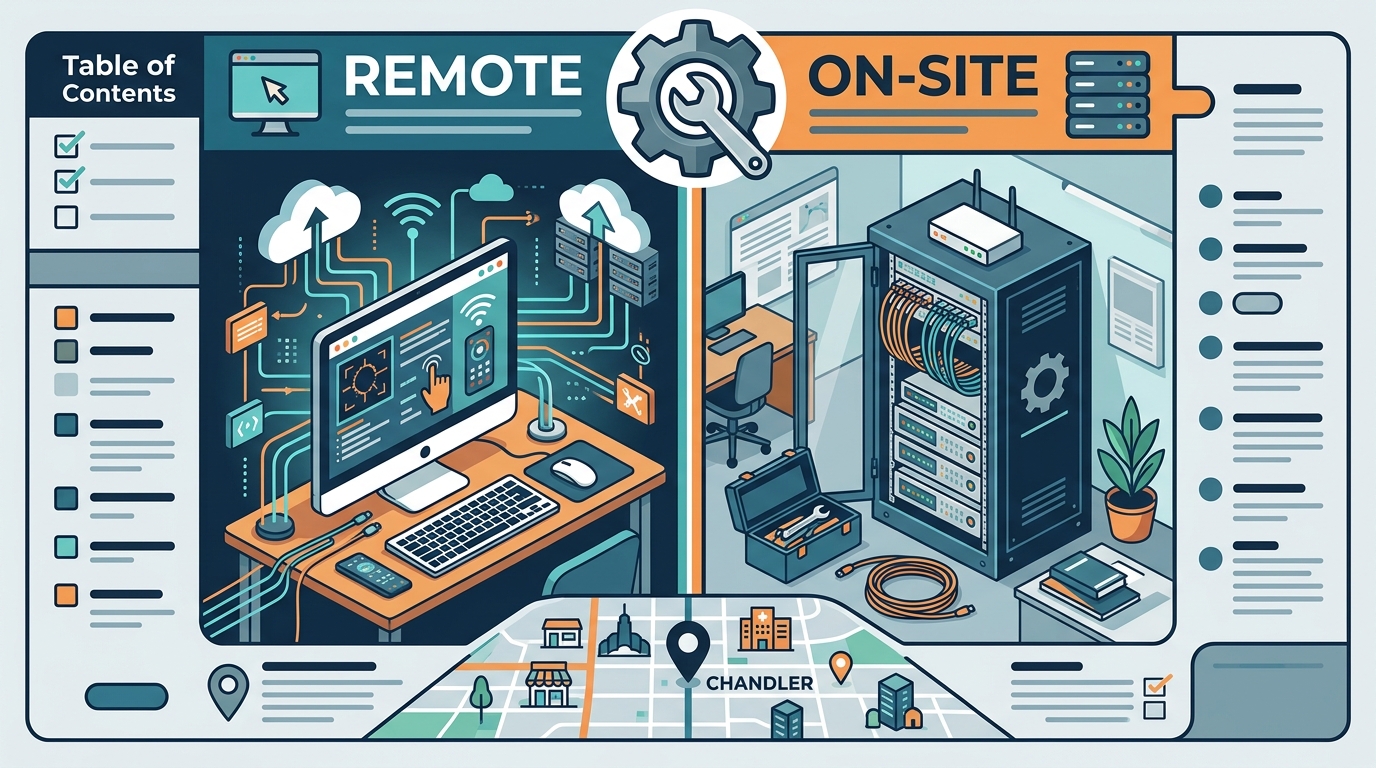
Remote access tools use encrypted tunnels to connect the technician's workstation to the client's device. The client typically grants permission for each session, ensuring security and control. Once connected, the technician can see the client's screen, control the mouse and keyboard, and install software. This process is transparent to the user, who can watch the technician work in real-time. Security protocols are paramount, and reputable providers use industry-standard encryption to protect data during these sessions.
Common Remote Tasks
Most routine IT issues can be resolved remotely. These include email configuration, printer driver updates, and software troubleshooting. Remote support is also effective for monitoring system health and applying security patches. By handling these tasks remotely, IT teams can maintain high availability without disrupting the physical workspace. This approach is cost-effective for both the provider and the client, as it reduces the overhead associated with travel and on-site visits.
Remote IT Support Best Practices
Communication Protocols
Clear communication is the hallmark of quality remote support. Technicians should explain what they are doing and why in plain language. They should also provide estimated time to resolution and keep the client informed of any changes. This transparency builds trust and reduces anxiety during technical issues. Clients should feel comfortable asking questions and providing feedback throughout the session. A responsive support team values this interaction and uses it to improve their service delivery.
Security and Compliance
Security is non-negotiable in remote IT support. Providers must adhere to strict data protection standards to safeguard client information. This includes using multi-factor authentication for remote access and encrypting all data in transit. Compliance with industry regulations is also important, especially for businesses in regulated sectors. A reputable provider will have documented security policies and regular audits to ensure compliance. Clients should ask about the provider's security measures before granting remote access to their systems.
The On-Site Advantage
On-site support involves a technician physically visiting the client's location to perform IT tasks. This is essential for hardware repairs, network cabling, and server maintenance. While remote support is efficient for software issues, it cannot replace the hands-on work required for hardware. On-site technicians can diagnose physical failures, replace components, and ensure proper equipment placement. This physical presence is critical for maintaining the integrity of the IT infrastructure.
Hardware and Infrastructure
Many IT issues are physical in nature. A server that will not boot, a network switch with a failing port, or a workstation with a damaged hard drive requires physical intervention. On-site technicians have the tools and expertise to handle these tasks. They can perform hardware diagnostics, replace failed components, and ensure that equipment is properly configured. This hands-on approach is vital for maintaining the reliability of critical business systems.
Response Time and Availability
The Hybrid Support Model
When to Use Remote vs. On-Site
Benefits of a Hybrid Approach
Remote vs. On-Site Comparison
The following table summarizes the key differences between remote and on-site IT support. This comparison helps businesses understand when each method is most appropriate.
| Feature | Remote Support | On-Site Support |
|---|---|---|
| Best For | Software issues, configuration, monitoring | Hardware repairs, network cabling, server maintenance |
| Response Time | Immediate (minutes) | Local (within 1 hour for TECHtality) |
| Cost | Lower (no travel costs) | Higher (travel and labor) |
| Security | Encrypted remote access | Physical presence and control |
| Complexity | Low to Medium | Medium to High |
Key Takeaways
- TECHtality provides both remote and on-site IT support in Chandler, AZ.
- Remote support is ideal for software issues and routine maintenance.
- On-site support is essential for hardware repairs and network infrastructure.
- The hybrid model combines the efficiency of remote with the thoroughness of on-site.
- Experience and longevity are critical factors when choosing an IT provider.
- Clear communication and security protocols are hallmarks of quality support.
- A dedicated local team ensures that your specific environment is well understood.
Frequently Asked Questions
Does TECHtality offer same-day on-site service?
Yes, TECHtality offers same-day service for on-site support. They can usually be at your office within one hour, ensuring minimal downtime for urgent issues.
How does remote support ensure security?
What types of hardware issues require on-site support?
Hardware issues such as server failures, network switch problems, and workstation component replacements require on-site support. These tasks involve physical intervention that cannot be performed remotely.
How long has TECHtality been in business?
TECHtality has been supporting Arizona businesses since 1983. This over four decades of experience ensures a deep understanding of technology evolution and business needs.
Can I switch from a national provider to a local one?
Yes, many businesses switch to local providers for better service and faster response times. TECHtality can help with the transition, ensuring a smooth handover of IT responsibilities.
What is the cost difference between remote and on-site support?
How do I know if I need a hybrid model?
If your business has both software and hardware components, a hybrid model is ideal. It allows for efficient remote resolution of software issues and prompt on-site attention for hardware problems.
Is TECHtality available for emergency support?
Yes, TECHtality provides emergency on-site server support. They understand the critical nature of server downtime and offer urgent response to keep your business online.
Conclusion
Choosing the right IT support provider in Chandler, AZ, is a critical decision for your business's success. TECHtality offers a comprehensive hybrid model that combines the efficiency of remote support with the thoroughness of on-site service. With over four decades of experience, they bring the expertise and stability your business needs. Whether you need software configuration or hardware repair, TECHtality is your trusted partner. To plan your visit or discuss your IT needs, contact them today. Learn more: Why Choose US All.