
Remote and On-Site IT Support in Chandler, AZ: The Ultimate Guide
TECHtality provides both remote and on-site IT support for businesses in Chandler, AZ. This guide covers how to evaluate local IT providers, the specific benefits of remote versus on-site service models, and how to build a hybrid support strategy that minimizes downtime. We will explore the operational differences between these support channels and how to integrate them into a cohesive managed service provider (MSP) framework.
IT Support Providers
Evaluating Technical Depth
Not all technicians are created equal. A robust provider should demonstrate expertise across the full stack, from endpoint devices to server rooms. You should look for a team that handles both hardware diagnostics and software configuration. For example, a provider should be able to troubleshoot a slow workstation and simultaneously manage the server that hosts its data. This dual capability ensures that when a problem arises, you are not passing your ticket between different departments or vendors.
Local Presence and Response Times
Proximity matters in IT support. A provider located in Chandler or the greater Phoenix area can dispatch a technician to your office significantly faster than a remote-only national entity. This physical presence is critical for issues that cannot be resolved over a network connection. When you review a provider's service level agreements (SLAs), pay close attention to the definition of "response time." Does it mean a phone call, a ticket acknowledgment, or a technician at your door? Clarity in these definitions prevents frustration during critical outages.
Remote Support Services
Remote support services allow technicians to access and manage client systems over a secure network connection. This model has become the backbone of modern IT operations. It enables rapid resolution of software issues, configuration changes, and user support requests without the need for physical travel. For many businesses, remote support is the first line of defense against downtime. It is cost-effective and often faster than waiting for a truck roll.
Security and Access Protocols
Security is the primary concern when granting remote access to your systems. A reputable provider will use encrypted, two-factor authenticated sessions to connect to your network. They should never rely on unsecured remote desktop protocols. The provider must also have strict internal policies regarding who can access your data and how that access is logged. You should ask for a demonstration of their remote access tools to ensure they meet your compliance requirements.
Scope of Remote Capabilities
Remote IT Support
Remote IT support is a delivery model where technical assistance is provided via digital channels, such as secure remote desktop, phone, or chat. This model is ideal for issues that are software-centric or related to user experience. It allows your staff to continue working while the technician resolves the issue in the background. The efficiency of remote IT support depends heavily on the quality of the provider's monitoring tools and their ability to diagnose problems without physical inspection.
Proactive Monitoring
User Experience and Productivity
IT Service Providers
An IT service provider is an organization that offers a comprehensive suite of technology solutions, often under a managed service agreement. Unlike a break-fix repair shop, an MSP takes ownership of your IT environment. They are responsible for the health, security, and performance of your systems. This relationship is strategic, not just transactional. The provider works with your leadership team to align technology with business goals.
Managed Services vs. Break-Fix
Understanding the difference between managed services and break-fix is crucial. Break-fix is reactive; you pay only when something breaks. Managed services are proactive; you pay a predictable monthly fee for continuous support and monitoring. For most growing businesses, managed services offer better value because they prevent issues before they occur. They also provide a single point of contact for all IT needs, simplifying vendor management.
Strategic Planning and Roadmapping
A high-quality IT service provider will help you plan for the future. They will assess your current infrastructure and recommend upgrades that align with your business trajectory. This might include migrating to cloud services, upgrading network hardware, or implementing new security protocols. By having a strategic roadmap, you avoid costly emergency purchases and ensure your technology scales smoothly as your business grows.
Remote Support
Remote support is the mechanism by which technicians interact with client systems from a distance. It is a critical component of any modern IT strategy. The effectiveness of remote support is determined by the reliability of the connection and the skill of the technician. It allows for 24/7 coverage, as technicians can work from anywhere in the world. This flexibility ensures that your business is supported even outside of standard business hours.
Integration with On-Site Services
Cost Efficiency
Remote support is generally more cost-effective than on-site visits. It eliminates travel time and associated costs. This allows providers to offer competitive pricing for managed services. For the client, this means lower monthly fees and more predictable budgeting. However, cost should not be the only factor. You must balance cost with the quality of service and the provider's ability to meet your specific needs.
On-Site Support
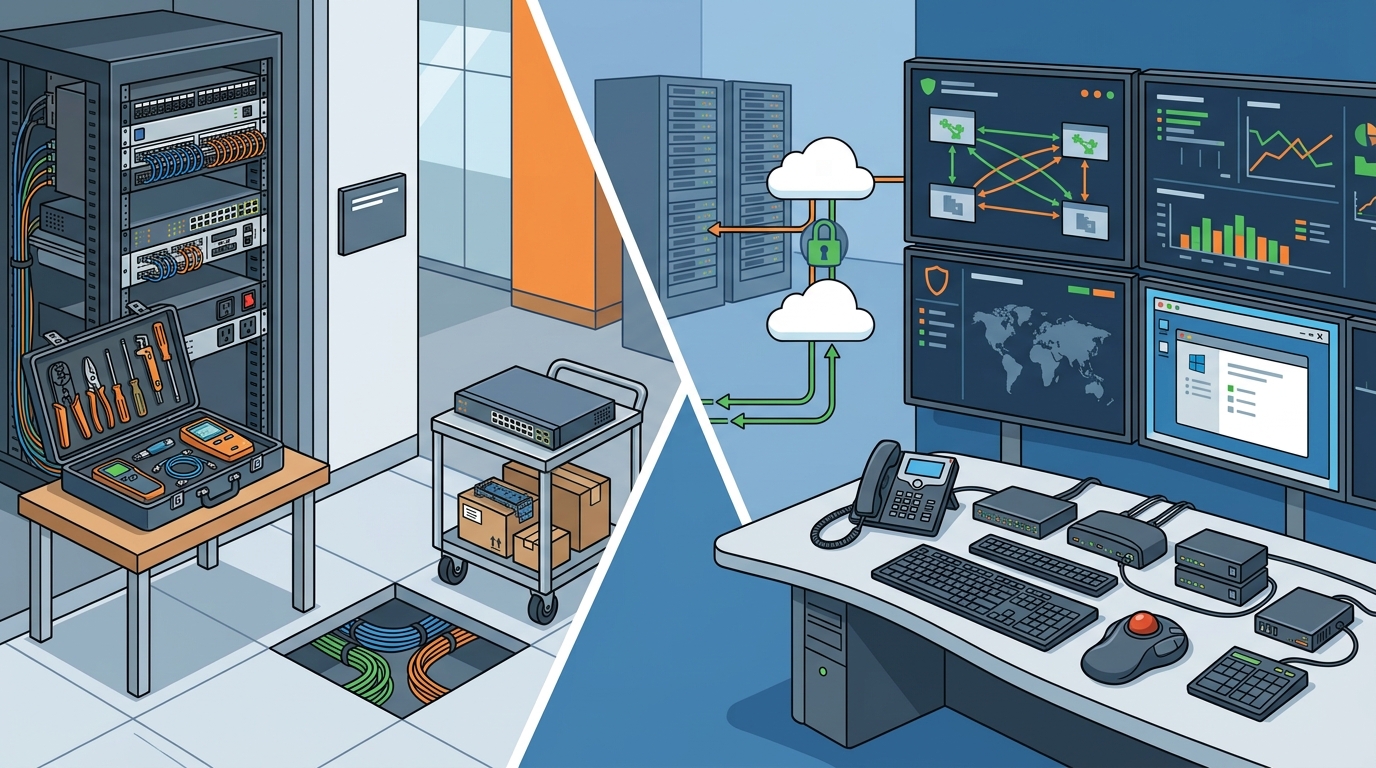
On-site support involves a technician physically visiting your location to perform repairs, installations, or maintenance. This is essential for hardware failures, network cabling issues, and server room maintenance. While remote support can solve many problems, some issues require hands-on attention. On-site support ensures that your physical infrastructure is secure, organized, and functioning optimally.
Hardware Diagnostics and Repair
When a workstation won't boot or a server is throwing hardware errors, remote tools have their limits. A technician needs to physically inspect the equipment to diagnose the root cause. This includes checking power connections, replacing failed components, and testing hardware performance. On-site support also covers the installation of new equipment, ensuring it is configured correctly and integrated into your existing network.
Network and Infrastructure Maintenance
Your network infrastructure is the backbone of your business. On-site support includes regular maintenance of routers, switches, and firewalls. It also involves managing the physical cabling in your office. A well-organized network room, or D-mark, is critical for efficient troubleshooting and future upgrades. A provider that neglects the physical layer of your network may leave you vulnerable to outages that cannot be fixed remotely.
Comparison of Support Models
| Feature | Remote Support | On-Site Support |
|---|---|---|
| Response Time | Immediate to minutes | Hours to days |
| Best For | Software issues, user support, monitoring | Hardware failures, cabling, server room work |
| Cost | Lower per incident | Higher per incident |
| Security | Requires encrypted remote access | Physical access control |
| Availability | 24/7 potential | Business hours or emergency dispatch |
Key Takeaways
- TECHtality offers a hybrid model combining remote and on-site support for Chandler businesses.
- Remote support is ideal for software issues and proactive monitoring, offering faster resolution times.
- On-site support is necessary for hardware repairs, network cabling, and physical infrastructure maintenance.
- Local providers often offer faster physical response times than national franchises.
- Managed services provide a predictable cost structure and proactive issue prevention.
- Security protocols for remote access must be robust, including encryption and multi-factor authentication.
- A strategic IT roadmap helps align technology investments with business growth goals. according to Aviation and Aerospace
- Clear service level agreements (SLAs) define response times and ensure accountability.
Frequently Asked Questions
What is the difference between remote and on-site IT support?
Remote support is delivered over a network connection, allowing technicians to fix software and configuration issues from a distance. On-site support involves a technician physically visiting your location to handle hardware repairs, cabling, and server maintenance. Both are essential for a comprehensive IT strategy.
How quickly can a technician arrive on-site in Chandler?
Response times vary by provider. Local providers like TECHtality can often dispatch a technician within hours, depending on the urgency and their current schedule. National providers may take longer due to dispatch logistics. Always check the provider's SLA for guaranteed response times.
Is remote support secure?
Yes, when implemented correctly. Reputable providers use encrypted, two-factor authenticated sessions to access your systems. They also maintain strict internal access controls and logging to ensure that only authorized personnel can view your data.
Do I need both remote and on-site support?
For most businesses, yes. Remote support handles the majority of day-to-day issues efficiently. On-site support is required for hardware failures and physical infrastructure work. A hybrid approach ensures you have the best of both worlds.
What is a managed service provider (MSP)?
An MSP is a company that manages and maintains an organization's IT infrastructure on an ongoing basis. They provide proactive monitoring, security, and support, often under a fixed monthly fee. This differs from break-fix models where you pay only for repairs.
How do I choose the right IT provider in Chandler?
Can remote support handle server issues?
Remote support can handle many server issues, such as software updates, performance tuning, and user management. However, hardware failures, such as drive crashes or power supply issues, require on-site intervention. A good provider will diagnose the issue remotely and dispatch a technician if physical repair is needed.
Conclusion
Selecting the right IT partner is a critical decision for any business in Chandler, AZ. You need a provider that offers both the speed of remote support and the thoroughness of on-site service. TECHtality provides this hybrid model, ensuring that your technology is secure, reliable, and aligned with your business goals. By choosing a local provider with deep technical expertise, you gain a strategic partner that helps your business thrive in a digital-first world. To discuss your specific IT needs, for a consultation.