

TECHtality designs, installs, and secures office Wi-Fi networks for businesses in Chandler, AZ. We handle everything from site surveys to encryption configuration, ensuring your network is fast, reliable, and protected against modern threats. This guide covers the two critical pillars of a secure wireless environment: professional network design and the implementation of WPA2 and WPA3 encryption standards. For additional details, review the Why Choose US All.
Wireless Network Design
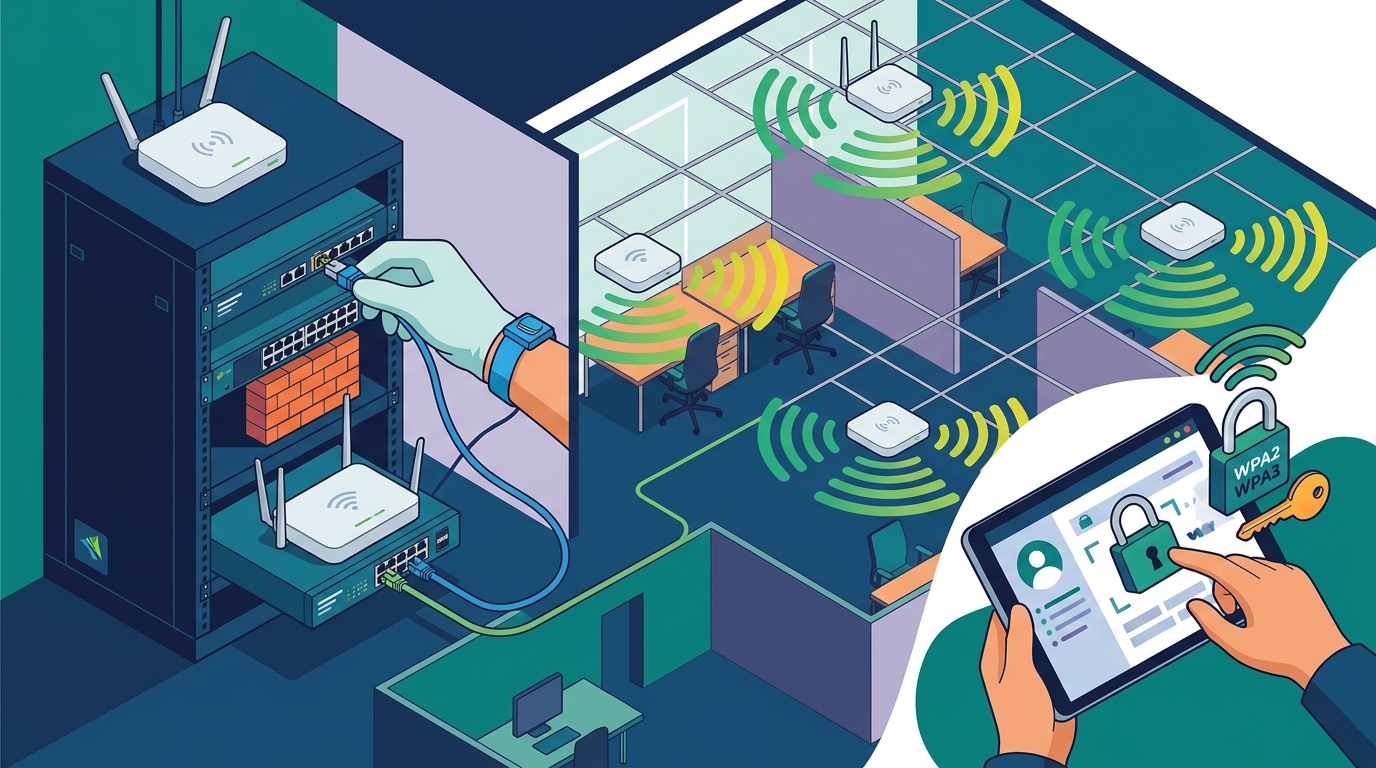
Wireless network design is the process of planning the physical placement of access points to ensure consistent coverage and performance. A poorly designed network leads to dead zones, slow speeds, and security vulnerabilities. Professional design begins with a site survey, which maps signal strength and interference across your office space. This data allows technicians to place hardware where it is most effective, rather than guessing based on square footage. For additional details, review the Business Technology Services In.
Site Surveys and Coverage Mapping
A site survey is a technical assessment of your physical environment to determine optimal access point locations. In a typical Chandler office, walls, metal shelving, and concrete can significantly attenuate Wi-Fi signals. TECHtality performs on-site surveys to identify these obstacles. We use specialized tools to visualize signal heatmaps, ensuring every desk and meeting room receives a strong connection. This step is crucial for avoiding the common mistake of placing a single router in the center of a large space, which often fails to reach the corners. For additional details, review the D Mark Services All.
Access Point Placement and Hardware Selection
Access point placement is the strategic positioning of wireless transmitters to maximize coverage without causing interference. The number of access points required depends on the size of the office and the density of users. For a small suite, one or two enterprise-grade access points may suffice. For larger commercial spaces, a mesh system or multiple ceiling-mounted units are necessary. We select hardware that supports the latest standards and integrates seamlessly with your existing network infrastructure. Proper placement ensures that devices roam smoothly between access points without dropping connections.
Integration with Existing Infrastructure
Integration is the process of connecting your new wireless network to your existing wired infrastructure, such as switches, routers, and firewalls. A secure Wi-Fi network is only as strong as its wired backbone. We ensure that your D-mark room and server racks are properly organized and cabled. This includes labeling all cables and verifying that power over Ethernet (PoE) switches can support the new access points. By integrating wireless with your wired network, we create a unified system that is easier to manage and secure.
Encryption Standards: WPA2 and WPA3
Encryption standards are protocols that protect data transmitted over a wireless network from being intercepted and read by unauthorized users. The two primary standards in use today are WPA2 and WPA3. While WPA2 has been the industry standard for over a decade, WPA3 offers significantly stronger security features. Understanding the differences between these two protocols is essential for choosing the right protection for your business data.
Understanding WPA2 Security
WPA2 (Wi-Fi Protected Access 2) is a security protocol that uses AES (Advanced Encryption Standard) to encrypt data. It is widely supported by most devices and remains a secure option for many businesses. However, WPA2 has known vulnerabilities, such as the KRACK attack, which can allow attackers to decrypt traffic. To mitigate these risks, businesses should use strong, unique passwords and keep their firmware updated. WPA2 is still a viable choice for older devices that do not support WPA3, but it should be configured carefully to minimize exposure.
The Advantages of WPA3
WPA3 (Wi-Fi Protected Access 3) is the latest security standard for Wi-Fi networks, offering enhanced protection against modern attacks. It introduces features like SAE (Simultaneous Authentication of Equals), which prevents offline dictionary attacks on passwords. WPA3 also provides forward secrecy, meaning that even if a long-term key is compromised, past sessions remain secure. For businesses handling sensitive client data, WPA3 is the recommended standard. It is more difficult for attackers to crack, providing a higher level of assurance for your network.
Choosing the Right Standard for Your Business
| Encryption Algorithm | AES | AES |
| Password Protection | Vulnerable to offline attacks | Protected by SAE |
| Forward Secrecy | Not supported | Supported |
| Device Compatibility | Universal | Modern devices only |
| Recommended Use | Legacy environments | Business-critical networks |
Key Takeaways
- Professional site surveys are essential for accurate access point placement.
- WPA3 provides stronger security than WPA2, particularly against password cracking.
- Integration with wired infrastructure ensures a stable and manageable network.
- Legacy devices may require WPA2, but WPA3 should be prioritized where possible.
- Regular firmware updates are critical for maintaining security.
- TECHtality offers on-site design and installation services in Chandler, AZ.
- Proper cable management in the D-mark room supports reliable wireless performance.
Frequently Asked Questions
What is the difference between WPA2 and WPA3?
How many access points do I need for my office?
The number depends on your office size and layout. A site survey will determine the optimal number and placement to ensure full coverage without interference.
Can I upgrade my existing network to WPA3?
Yes, if your access points and devices support WPA3. We can assess your current hardware and recommend upgrades if necessary.
Why is a site survey important?
A site survey identifies physical obstacles and interference sources, allowing for precise access point placement. This prevents dead zones and ensures consistent performance.
Does TECHtality provide on-site support in Chandler?
Yes, TECHtality provides on-site services in Chandler and the greater Phoenix area. We can perform surveys, install hardware, and configure security settings directly at your location.
How long does a typical Wi-Fi installation take?
Installation time varies based on the size of the office and complexity of the network. Small offices may be completed in a day, while larger spaces may require multiple days.
Conclusion
Securing your office Wi-Fi network requires more than just plugging in a router. It demands professional design, proper hardware selection, and the implementation of modern encryption standards. TECHtality brings decades of experience to your network, ensuring that every aspect is handled with precision. From the initial site survey to the final configuration of WPA3, we provide the expertise you need to protect your business. If you are ready to upgrade your network, to schedule a consultation.