

Remote vs On-Site IT Support: Choosing the Right Model for Your Business
Modern businesses face a critical infrastructure decision that directly impacts operational continuity and cost efficiency. According to recent industry data, organizations that adopt a hybrid IT support model report a 30% reduction in downtime compared to those relying solely on reactive break-fix methods. This statistic highlights why the debate between remote and on-site IT support is not just about convenience, but about strategic resilience. As technology evolves, the lines between these two support types blur, yet understanding their distinct advantages remains vital for business leaders in Arizona and beyond.
Understanding the Basics of IT Support Models
To make an informed decision, you must first define the core mechanisms of each support type. Remote IT support is a service delivery method where technicians diagnose and resolve issues via secure internet connections without physical presence. This model relies heavily on software tools that allow for screen sharing, remote desktop access, and command-line execution from a distance.
Conversely, On-site IT support is a hands-on service model where technicians physically visit the client's location to address hardware, network, or environmental issues. This approach is essential for tasks that require physical interaction with servers, cabling, or peripheral devices. Understanding these definitions is the first step in evaluating which model serves your specific business needs.
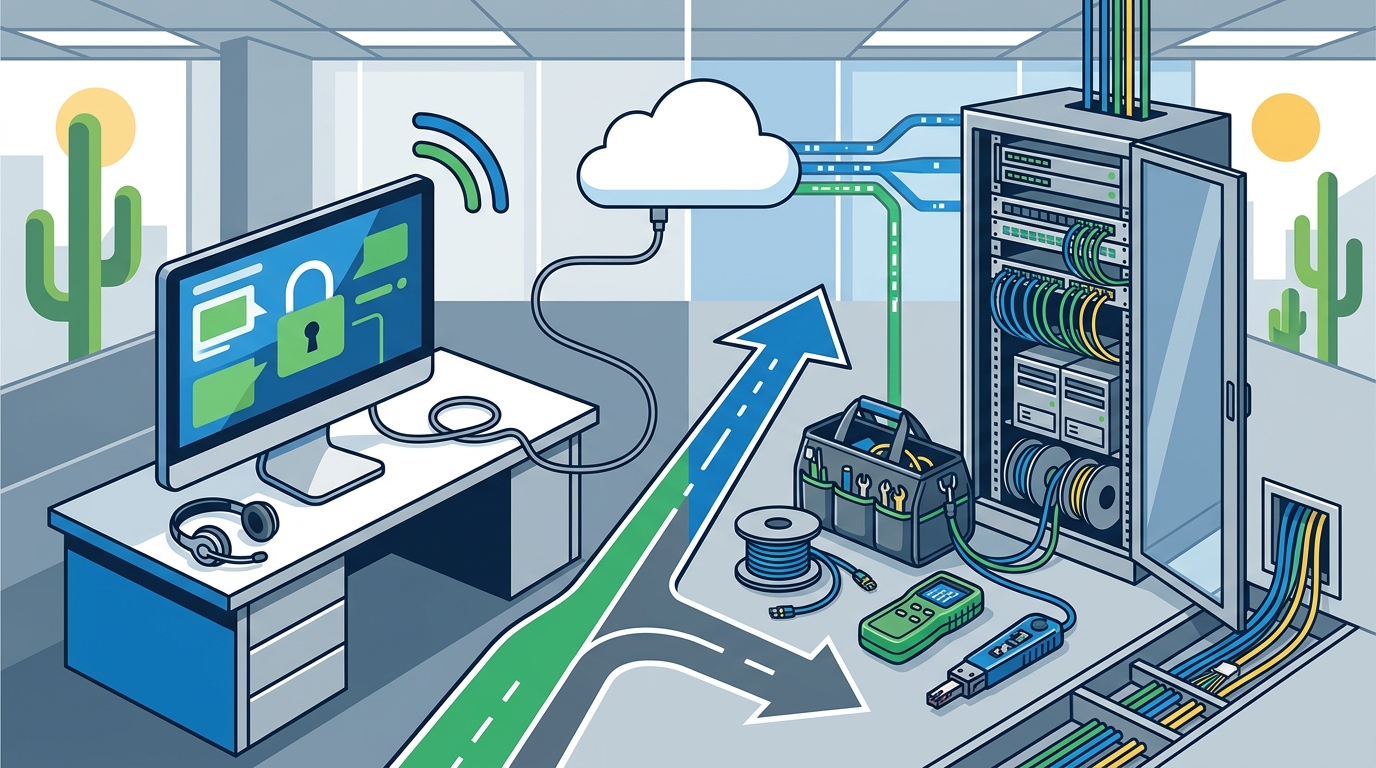
The choice between these two is rarely binary. Most successful businesses utilize a combination of both. However, the ratio of remote to on-site support depends on your industry, office size, and technical maturity. For many Arizona businesses, the goal is to maximize remote efficiency while keeping on-site support as a specialized, high-value resource.
The Advantages of Remote IT Support
Remote support has become the backbone of modern Managed Service Provider (MSP) operations. Its primary appeal lies in speed and scalability. When a user encounters a software glitch, a remote technician can often resolve the issue within minutes, rather than waiting for a truck roll.
Speed and Efficiency
Speed is the most significant advantage of remote support. According to data from the IT Service Management industry, remote resolutions can occur up to 70% faster than on-site visits because there is no travel time involved. This immediacy is crucial for maintaining productivity. If an employee cannot access their email or a critical application, every minute of downtime translates to lost revenue.
Cost Effectiveness
Remote support significantly reduces operational costs for both the provider and the client. By eliminating travel time and fuel expenses, MSPs can offer more competitive pricing models. For businesses, this often means lower monthly retainers or more favorable per-ticket pricing. The efficiency gains allow technicians to handle more tickets per day, driving down the cost per resolution.
Proactive Monitoring
Remote support enables proactive maintenance. Technicians can monitor server health, patch management, and security updates from a central location. This allows them to identify and fix potential issues before they cause an outage. This proactive stance is a key differentiator between reactive break-fix models and proactive managed services.
When On-Site Support is Non-Negotiable
Despite the efficiency of remote tools, there are scenarios where physical presence is absolutely required. These situations typically involve hardware, physical infrastructure, or complex environmental factors.
Hardware Repairs and Upgrades
When a server fails, a hard drive needs replacement, or a workstation requires physical assembly, remote support is ineffective. Technicians must physically handle components, install new hardware, and ensure proper connectivity. This is particularly true for complex server rooms or specialized industrial equipment.
Network Infrastructure and Cabling
Physical network infrastructure, including Ethernet cabling, switch configuration, and wireless access point placement, requires on-site expertise. Network installations involve the physical layout and configuration of routers, switches, and firewalls to ensure robust connectivity. This work cannot be done remotely. Proper cable management and signal optimization are critical for maintaining a reliable network.
Security and Compliance
In some industries, physical security audits and hardware-based security implementations require on-site verification. Additionally, when dealing with sensitive data, some organizations prefer technicians to be physically present to ensure data integrity and compliance with strict regulatory standards.
Building a Hybrid Support Strategy
The most effective IT support strategy for most businesses is a hybrid model. This approach leverages the speed of remote support for software and minor issues, while reserving on-site visits for hardware, infrastructure, and complex projects. This balance ensures maximum efficiency without sacrificing the ability to handle physical challenges.
Defining Escalation Paths
A clear escalation path is essential. Simple issues should be resolved remotely. If remote troubleshooting fails, the ticket should escalate to an on-site visit. This prevents unnecessary truck rolls while ensuring that complex issues receive the attention they need. Clear communication between the help desk and field technicians is vital for this process.
Technology Relocation and Setup
One area where on-site support is indispensable is technology relocation. Moving an office involves more than just packing boxes. It requires careful planning, pre-visit assessments, and on-site execution to ensure all technology is operational in the new location. Technology relocation involves end-to-end services including planning, cabling, and equipment setup to ensure a seamless transition. This complexity makes it a prime candidate for on-site expertise.
Cost Analysis: Remote vs On-Site
Understanding the cost implications of each model helps in budgeting and decision-making. Remote support is generally more cost-effective for routine issues, while on-site support commands a premium due to the resources required.
| Feature | Remote Support | On-Site Support |
|---|---|---|
| Response Time | Immediate (Minutes) | Delayed (Hours/Days) |
| Cost per Ticket | Low | High |
| Hardware Handling | Not Possible | Required |
| Proactive Monitoring | High Capability | Limited |
| Best For | Software, Updates, Minor Issues | Hardware, Cabling, Complex Projects |
For businesses looking to optimize costs, a managed service agreement that includes unlimited remote support with a capped number of on-site visits is often the most financially sound choice. This model provides predictability in budgeting while ensuring access to necessary physical services.
Key Takeaways
- Hybrid is Best: Most businesses benefit from a combination of remote and on-site support to balance speed and capability.
- Remote Efficiency: Remote support offers faster resolution times and lower costs for software and minor issues.
- On-Site Necessity: Hardware repairs, cabling, and network installations require physical presence.
- Proactive Monitoring: Remote tools enable proactive maintenance, preventing issues before they occur.
- Relocation Expertise: Technology relocation is a complex on-site service that requires specialized planning and execution.
- Cost Predictability: Managed service agreements can provide predictable costs for both remote and on-site support.
- Arizona Context: Local providers like TECHtality offer valley-wide service, ensuring quick on-site response times for Scottsdale and Chandler businesses.
Frequently Asked Questions
Can remote support handle all my IT issues?
No, remote support cannot handle hardware repairs, cabling, or physical infrastructure issues. It is best suited for software, configuration, and troubleshooting tasks.
How much faster is remote support compared to on-site?
Remote support is typically significantly faster, often resolving issues within minutes compared to the hours or days required for scheduling and traveling for an on-site visit.
Is on-site support more expensive?
Yes, on-site support is generally more expensive due to travel time, labor costs, and the complexity of physical work. However, it is necessary for certain tasks.
What is technology relocation?
Technology relocation is the process of moving a business's IT infrastructure to a new location, including planning, cabling, and setup to ensure seamless operation.
Do I need a managed service provider?
For most businesses, a managed service provider offers cost-effective, proactive support that minimizes downtime and maximizes productivity.
How does TECHtality handle remote and on-site support?
TECHtality offers comprehensive MSP services that include both remote and on-site support, tailored to the specific needs of Arizona businesses.
What industries benefit most from on-site support?
Industries with complex hardware requirements, such as healthcare, manufacturing, and finance, often benefit more from on-site support due to regulatory and operational needs.
Contact TECHtality for Expert Guidance
Choosing the right IT support model is a strategic decision that impacts your business's efficiency and security. TECHtality, with over 40 years of experience in Arizona, offers tailored solutions that combine the best of both remote and on-site support. Whether you need help with VoIP PBX services, network installations, or technology relocation, our expert technicians are ready to assist. Contact us today to schedule a consultation and discover how we can support your business technology needs.