

Modern enterprises report that network downtime costs businesses an average of five thousand dollars per minute. Poor physical cabling remains the leading cause of these disruptions. You must systematically audit your existing infrastructure before purchasing new hardware. This tutorial outlines the exact steps required to upgrade your office wiring for maximum reliability. Follow each phase carefully to eliminate packet loss and reduce latency across your entire facility.
Assess Current Infrastructure and Document Existing Routes
Begin by mapping every physical connection point in your workspace. Locate the main distribution frame and trace each drop to its corresponding wall jack. You will likely discover outdated cabling that cannot support modern data rates. Structured cabling is the standardized framework of cables and connectors that form the physical backbone of enterprise networks. Document the exact length of each run and note any areas where cables bend sharply or rest near heavy machinery. This baseline audit prevents costly mistakes during the upgrade phase. Contact our specialists to review your floor plans before purchasing materials.
Audit Patch Panels and Server Racks
Open your server closet and inspect the patch panels for loose connections. Look for frayed insulation or corroded metal contacts. Replace any damaged components immediately. Verify that your rack mounting equipment provides adequate airflow. Overheating switches degrade signal quality over time. Ensure your rack includes proper cable management arms to prevent strain on active ports. This foundational step guarantees that your new wiring will perform exactly as designed.
Upgrade to Modern Ethernet Standards
Legacy cables often bottleneck your entire operation. You must replace older Category 5e cables with newer standards that support higher frequencies. Network latency is the measurable delay between data transmission and reception across wired connections. Upgrading to Category 6a cabling reduces this delay significantly. This standard supports ten gigabits per second over distances up to one hundred meters. Your IT team should prioritize this upgrade for all workstations and access points. Reach out to our support desk to schedule a full infrastructure assessment.
Compare Category Ratings and Speed Tolerances
Not all cables perform equally under heavy loads. You must match the cable rating to your specific bandwidth requirements. The table below outlines the technical specifications for each standard. Select the option that aligns with your current hardware and future expansion plans. Investing in higher-grade materials now prevents expensive retrofits later.
| Cable Category | Maximum Frequency | Bandwidth Capacity | Recommended Use Case |
|---|---|---|---|
| Category 5e | One hundred megahertz | One gigabit per second | Legacy office environments with light web browsing |
| Category 6 | Two hundred fifty megahertz | Ten gigabits per second (short range) | Standard corporate workstations and printers |
| Category 6a | Five hundred megahertz | Ten gigabits per second (full range) | High-density server rooms and video conferencing |
| Category 7 | One thousand megahertz | Forty gigabits per second | Enterprise data centers and industrial automation |
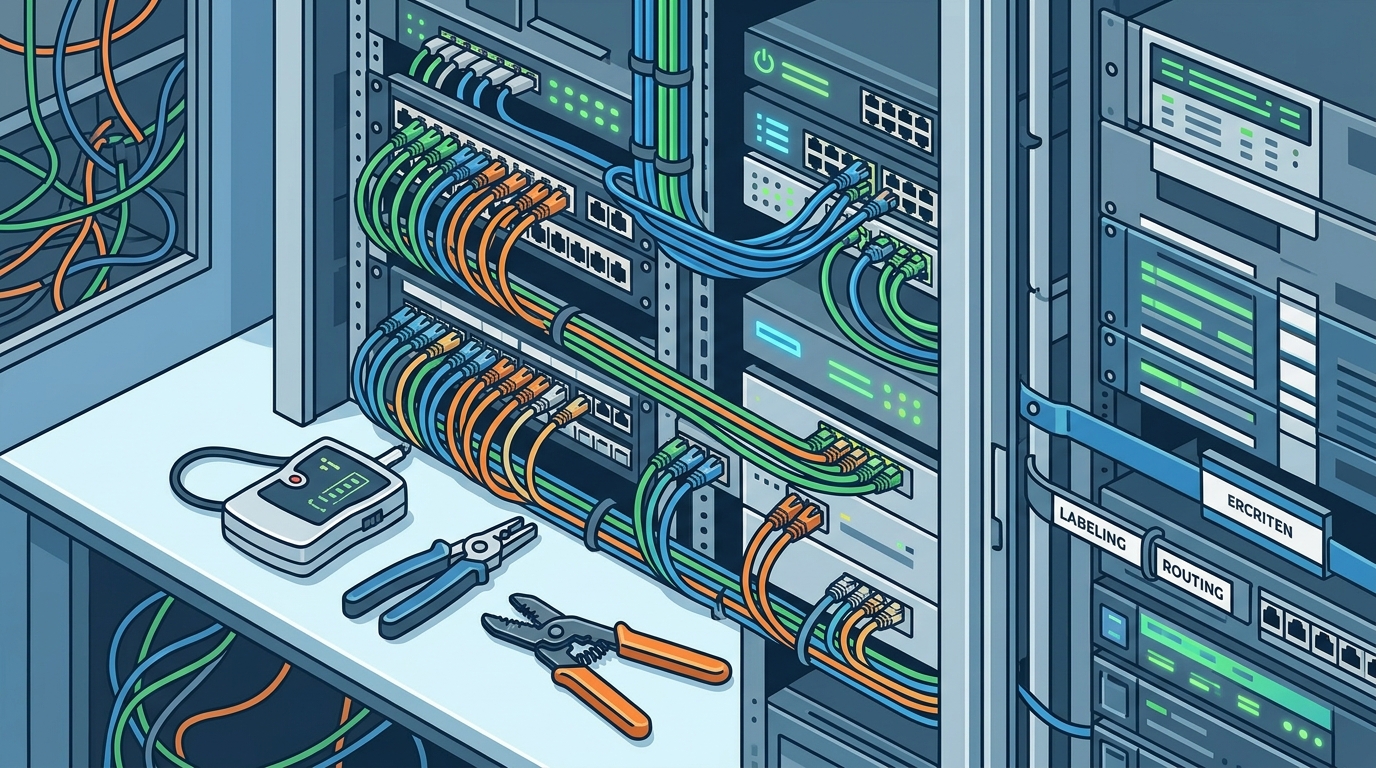
Implement Proper Cable Routing and Separation Protocols
Improper routing introduces electromagnetic interference that corrupts data packets. You must route network cables away from power lines and fluorescent lighting fixtures. Maintain a minimum separation distance of twelve inches between data and electrical conduits. This rule prevents signal degradation and ensures consistent throughput. Bandwidth capacity is the maximum volume of data that can flow through a single cable conductor per second. When cables cross electrical lines, they must do so at a ninety-degree angle. This crossing technique minimizes induced noise and preserves signal integrity. Use dedicated cable trays or ceiling grids to keep pathways organized and accessible.
Deploy Structured Patching and Labeling Systems
Disorganized patch panels create troubleshooting nightmares. You must implement a strict labeling convention that matches your floor plan. Label both ends of every cable with its corresponding jack location. Use color-coded patch cords to differentiate between voice, data, and VoIP PBX services. This visual system reduces mean time to repair during outages. Our team specializes in organizing chaotic server rooms into compliant, scalable architectures. Visit our recent projects page to see how we handle complex patching deployments.
Validate Performance Through Certified Testing Procedures
Physical installation is only half the equation. You must verify electrical performance using certified cable testers. These devices measure near-end crosstalk, return loss, and propagation delay. Run a full certification report on every single drop before handing over the workspace. Any cable that fails to meet industry standards must be replaced immediately. Do not rely on simple link lights to verify stability. Professional testing equipment identifies micro-fractures and impedance mismatches that cause intermittent drops. Schedule a comprehensive audit with our certified technicians.
Schedule Routine Maintenance and Hardware Refresh Cycles
Network stability requires proactive oversight. You must inspect physical cabling every six months for wear and tear. Check for loose connectors, damaged jackets, and excessive bend radius violations. Replace aging switches and routers before they reach their end-of-life date. Implement a backup strategy that protects your configuration files and network diagrams. Regular maintenance prevents catastrophic failures during peak business hours. Our managed support programs handle these recurring tasks so your staff can focus on core operations.
Key Takeaways
- Network downtime costs businesses an average of five thousand dollars per minute according to industry reports.
- Category 6a cabling supports ten gigabits per second over one hundred meters without signal degradation.
- Structured cabling is the standardized framework of cables and connectors that form the physical backbone of enterprise networks.
- Network latency is the measurable delay between data transmission and reception across wired connections.
- Bandwidth capacity is the maximum volume of data that can flow through a single cable conductor per second.
- Professional cable certification testing identifies micro-fractures that basic link lights cannot detect.
- Regular six-month inspections prevent catastrophic failures during peak business hours.
Frequently Asked Questions
How often should I physically inspect my office cabling?
You should conduct a visual inspection every six months. Look for frayed insulation, loose connectors, and excessive bend radius violations. Document any changes in signal quality or frequent dropouts. Schedule a professional audit if you notice consistent latency spikes.
Can I mix different cable categories in the same run?
You should avoid mixing categories within a single continuous run. The entire link will operate at the speed of the lowest-rated component. Always terminate both ends with the same cable standard. This practice ensures consistent performance and prevents bottlenecks.
What is the minimum separation distance between data and power cables?
Industry standards recommend a minimum separation distance of twelve inches. This rule prevents electromagnetic interference from corrupting data packets. When cables must cross electrical lines, they should intersect at a ninety-degree angle. This crossing technique minimizes induced noise and preserves signal integrity.
Do I need certified testing after installing new cables?
Yes, certified testing is absolutely required before deploying equipment. Simple link lights only verify basic connectivity. Professional testers measure near-end crosstalk, return loss, and propagation delay. These metrics guarantee that your installation meets enterprise-grade performance standards.
How do I label patch panels for maximum efficiency?
Label both ends of every cable with its corresponding jack location. Use color-coded patch cords to differentiate between voice, data, and VoIP PBX services. Match your labeling system to your floor plan layout. This visual system reduces mean time to repair during outages.
What happens if I ignore cable management arms?
Neglecting cable management arms creates excessive strain on active ports. This strain causes intermittent connections and frequent packet loss. Proper routing keeps cables organized and accessible for future upgrades. Invest in quality management arms to protect your hardware investment.
Should I upgrade my entire network at once or in phases?
You can upgrade in phases if you maintain strict documentation. Prioritize high-traffic areas like server rooms and conference spaces first. Ensure your patch panels support the new cable standards before purchasing hardware. Our team designs phased rollouts that minimize business disruption.
Secure Your Network Infrastructure Today
Improving office wiring requires precision, planning, and professional execution. You now possess the exact framework needed to eliminate connectivity issues and maximize throughput. Do not let outdated cabling drain your budget or frustrate your staff. Contact our specialists today to schedule a comprehensive infrastructure assessment. Visit our contact page to book your consultation. Let our certified technicians transform your physical network into a reliable, high-performance asset.