

Network instability is rarely a software problem; it is almost always a physical layer failure. According to a 2024 report by the Federal Communications Commission, over 60% of enterprise network outages stem from cabling issues rather than hardware or configuration errors. This statistic highlights a critical blind spot for many business owners who prioritize cloud subscriptions while neglecting the copper and fiber veins that carry their data. If your office experiences frequent dropouts, slow file transfers, or intermittent VoIP calls, the root cause likely lies in the walls. This guide details the exact steps to audit, upgrade, and optimize your office wiring for maximum reliability.
Understanding Cable Categories and Standards
Before tearing down walls or ordering new equipment, you must understand the language of cabling. The term Category (Cat) is a standardized classification for twisted pair cabling. Each category supports different bandwidths and frequencies, directly impacting your network's potential speed and stability.
Cat5e is the absolute minimum standard for modern offices. Cat5e is a twisted pair cable designed to support frequencies up to 100 MHz. While it can handle Gigabit Ethernet, it leaves little room for future growth and is highly susceptible to crosstalk in dense bundles. Most techtality consultants recommend moving past Cat5e immediately for any new installation. (About)
Cat6 is the current industry workhorse. Cat6 is a twisted pair cable that supports frequencies up to 250 MHz and reduces crosstalk through tighter twists and a plastic spline separator. This separation is crucial for maintaining signal integrity over longer distances, typically up to 90 meters for permanent links. If you are running 10 Gigabit Ethernet, Cat6 can handle it, but only for distances up to 55 meters. Beyond that, signal degradation becomes a significant risk.
For long-term stability, Cat6a is the superior choice. Cat6a is an augmented twisted pair cable that supports frequencies up to 500 MHz. The 'a' stands for augmented, indicating enhanced shielding and performance. This category allows for full 10 Gigabit Ethernet speeds up to the maximum 100-meter distance. It is also significantly more resistant to external interference, making it ideal for offices with heavy electrical equipment or dense server racks.
Audit Your Current Infrastructure
Improving stability begins with visibility. You cannot fix what you cannot see. Many offices operate on legacy cabling from the early 2000s, unaware that the infrastructure is failing under modern data loads. A professional audit reveals the hidden bottlenecks in your network.
The first step is identifying the cable type. Look at the jacket of the cables running to your patch panels. The text printed on the jacket will indicate the category, length, and manufacturer. If you see Cat5 or Cat5e, you are already behind the curve. If you see Cat6, you are on stable ground but may need to evaluate your patch cables and connectors.
Next, check for physical damage. Look for kinks, sharp bends, or crushed cables. Ethernet cables have a minimum bend radius, typically four times the diameter of the cable. Bending beyond this limit distorts the internal twists, causing signal reflection and data loss. This is a common cause of intermittent connectivity that is difficult to diagnose without physical inspection.
Finally, verify your termination points. Poorly terminated jacks and patch panels are a leading cause of network errors. Use a cable tester to verify continuity and check for split pairs. A split pair occurs when the wires are terminated in the wrong order, causing near-end crosstalk. This error is invisible to standard link lights but will cause significant packet loss and latency.
Best Practices for Cable Management
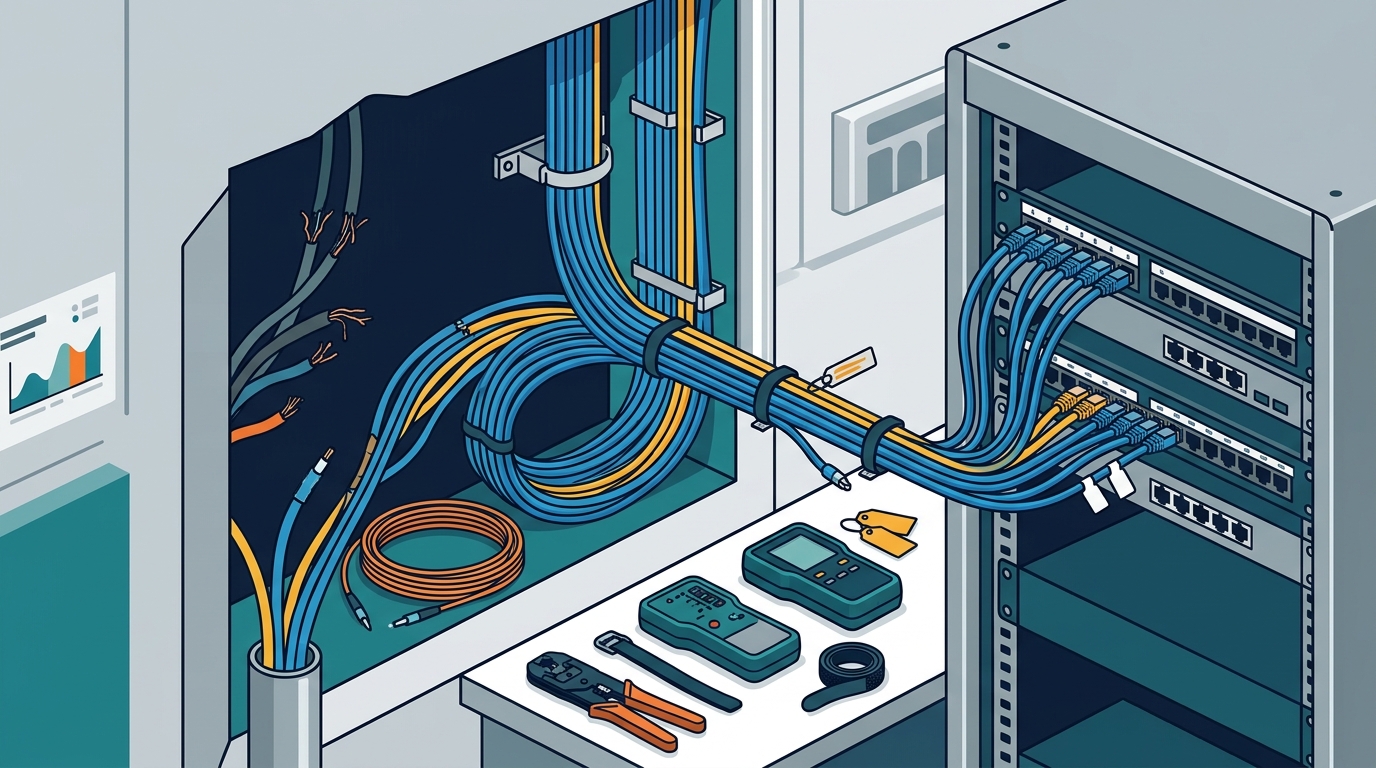
Even the best cables will fail if managed poorly. Cable management is the practice of organizing and securing network cables to ensure optimal performance and ease of maintenance. Poor management leads to heat buildup, physical damage, and difficult troubleshooting.
Avoid bundling cables too tightly. When cables are bundled, they generate heat and increase crosstalk. Use velcro straps instead of zip ties. Zip ties can crush the internal structure of the cable if tightened too much, altering the impedance and causing signal degradation. Velcro allows for easy adjustments and prevents physical stress on the jacket.
Separate power and data cables. Electromagnetic interference (EMI) from power lines can disrupt data signals. Maintain a separation of at least 12 inches between Ethernet cables and power lines. If they must cross, do so at a 90-degree angle. This minimizes the duration of interference and reduces the risk of signal corruption.
Label everything. A clear labeling system is essential for long-term stability. Label both ends of every cable at the patch panel and the wall jack. Use a consistent format that includes the device name, port number, and destination. This reduces downtime during repairs and makes future upgrades significantly easier.
Fiber vs. Copper: Making the Right Choice
As your office grows, copper may no longer be sufficient. Fiber optic cabling offers superior performance for backbone connections and high-bandwidth applications. Understanding the difference is critical for making the right investment.
Copper cabling uses electrical signals to transmit data. It is cost-effective, easy to install, and powers devices via PoE (Power over Ethernet). However, it is limited by distance, bandwidth, and susceptibility to interference. Copper is ideal for horizontal runs from the server room to the desk.
Fiber optic cabling uses light to transmit data. It is immune to electromagnetic interference and can carry data over much longer distances without signal loss. Fiber is ideal for connecting buildings, linking server racks, or supporting high-speed backbone infrastructure. While more expensive to install, the long-term reliability and performance benefits often justify the cost for growing enterprises.
Consider a hybrid approach. Use copper for the final drop to the workstation and fiber for the backbone. This strategy balances cost and performance. It allows you to leverage PoE for convenience while ensuring high-speed, interference-free connectivity between critical network nodes.
Benefits of Professional Installation
While DIY cabling is possible, professional installation ensures compliance with industry standards and long-term reliability. A certified installer brings specialized tools and expertise that are difficult to replicate.
Professional installers use certified testing equipment to verify every link. They provide documentation, including test results and as-built diagrams, which are essential for future maintenance. This documentation proves that the installation meets TIA/EIA standards, which is often required for warranty claims and insurance purposes.
They also ensure proper grounding and bonding. Incorrect grounding can lead to equipment damage and safety hazards. Professionals follow strict protocols to protect your network from power surges and static discharge. This attention to detail prevents costly downtime and equipment failure.
Finally, professional installation comes with a warranty. If a cable fails, you have recourse. DIY installations offer no such protection. Investing in professional services from techtality ensures that your network infrastructure is built to last and perform at its peak.
Key Takeaways
- Over 60% of network outages are caused by cabling issues, not software.
- Cat5e is obsolete for modern offices; Cat6 is the minimum standard.
- Cat6a supports 10GbE up to 100 meters and offers superior interference resistance.
- Always maintain a 12-inch separation between data and power cables.
- Use velcro straps, not zip ties, to prevent cable damage.
- Fiber optics are immune to EMI and ideal for backbone connections.
- Professional installation includes certified testing and comprehensive documentation.
Frequently Asked Questions
How often should I replace office cabling?
Cabling does not have a strict expiration date, but technology evolves. If you are still using Cat5e, it is time to upgrade. Most experts recommend planning a cabling refresh every 10 to 15 years to keep pace with bandwidth demands.
Can I use Cat6 for 10 Gigabit Ethernet?
Yes, but only up to 55 meters. Beyond that distance, signal degradation will occur. For full 100-meter runs at 10GbE, you must use Cat6a or fiber optic cabling.
What is the difference between UTP and STP cables?
UTP (Unshielded Twisted Pair) relies on twist ratios to cancel interference. STP (Shielded Twisted Pair) includes a metallic shield to block external EMI. STP is better for environments with heavy electrical noise, such as near industrial machinery.
Why is my network slow even with new cables?
Slow speeds can result from mismatched cable categories, poor terminations, or faulty network interface cards. Ensure all components in the chain, from wall jack to switch, support the same speed standard.
Is fiber optic cabling worth the extra cost?
For backbone connections and long-distance runs, yes. Fiber offers higher bandwidth, longer distances, and immunity to interference. For short desk drops, copper remains more cost-effective.
How do I identify a split pair?
A split pair is identified using a cable tester. It shows continuity but fails the wire map test. This error causes significant crosstalk and must be corrected by re-terminating the connectors.
What is PoE and does it affect cabling?
PoE (Power over Ethernet) delivers power and data over a single cable. It requires cables that can handle the heat generated by the power transmission. Cat6 and above are recommended for PoE+ and PoE++ applications.
Contact Us
Don't let faulty wiring hold your business back. Secure your network's future with expert guidance and installation. Contact techtality today to schedule a comprehensive network audit and upgrade consultation. Our team is ready to help you build a stable, high-performance infrastructure.