

How to Improve Office Wiring for Better Network Stability
Unstable networks are not just an annoyance; they are a direct threat to business continuity. According to industry data, the average cost of an IT outage can exceed $5,600 per hour for small businesses, with larger enterprises losing significantly more. This financial impact underscores why physical infrastructure, specifically office wiring, remains the foundational element of reliable connectivity. When the backbone of your network degrades, every digital process slows down.
Diagnose Your Current Wiring State
Before investing in new infrastructure, you must understand the limitations of your existing setup. Many older offices rely on Cat5 or early Cat5e cabling, which struggles to handle modern bandwidth demands. These legacy cables often suffer from crosstalk and attenuation, leading to packet loss and intermittent connectivity drops. (Business Technology Services In)
Professional diagnostics involve testing the physical integrity of every drop. TECHtality utilizes advanced certification tools to measure signal-to-noise ratios and verify compliance with current industry standards. This process identifies weak points that software updates cannot fix. If your office is located in Scottsdale or Chandler, local environmental factors like heat can also degrade cable performance over time. (Technology Services All your)
Regular audits are essential for maintaining stability. A comprehensive network assessment reveals hidden bottlenecks before they cause critical failures. By addressing these issues proactively, businesses can avoid the costly downtime associated with sudden infrastructure collapse.
Understanding Cable Categories
Selecting the correct cable type is the most critical decision in improving network stability. The category of the cable determines its maximum bandwidth and frequency capabilities. Below is a comparison of common cabling standards used in modern business environments.
| Cable Category | Max Bandwidth | Max Speed | Best Use Case |
|---|---|---|---|
| Cat5e | 100 MHz | 1 Gbps | Legacy systems, low-traffic offices |
| Cat6 | 250 MHz | 10 Gbps (short distance) | Standard modern office deployment |
| Cat6a | 500 MHz | 10 Gbps (100 meters) | High-density data centers, future-proofing |
| Fiber Optic | Multi-Gigabit | 10Gbps+ | Backbone connections, long-distance runs |
Cat6a is widely considered the sweet spot for most Arizona businesses today. It offers superior shielding against electromagnetic interference, which is common in dense office environments with many electronic devices. Upgrading to Cat6a ensures that your network can handle video conferencing, large file transfers, and cloud-based applications without degradation.
For backbone connections between server rooms and wiring closets, fiber optic cabling provides unmatched speed and immunity to electrical interference. While the initial installation cost is higher, the long-term reliability and performance benefits are substantial. This hybrid approach of copper for endpoints and fiber for backbones is a best practice in modern network design.
Implementing Structured Cabling
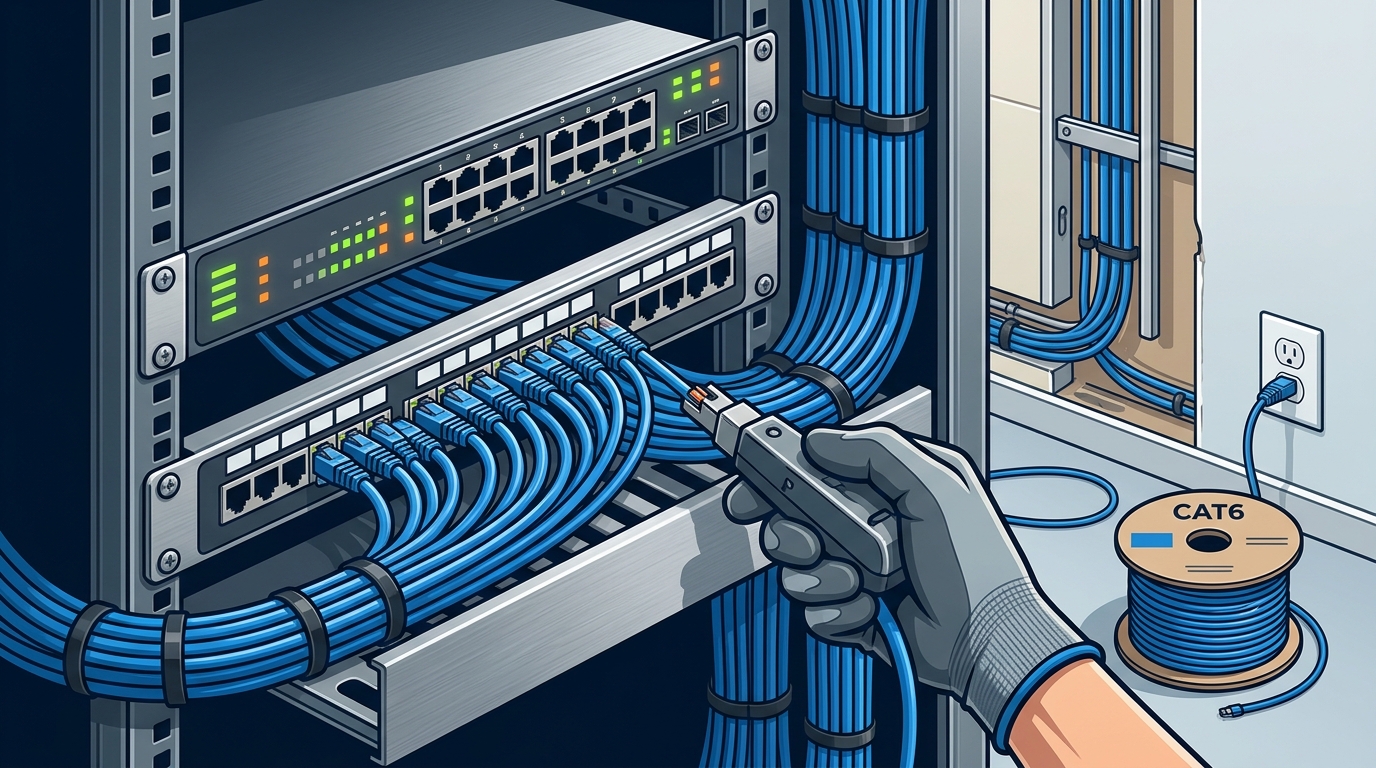
Structured cabling is the standardized architecture that connects your office devices to the network. It consists of a hierarchy of smaller sub-systems, including work areas, horizontal cabling, telecommunications rooms, and backbone cabling. Without this structure, your network becomes a tangled mess of cables that is difficult to troubleshoot and expand.
TECHtality specializes in designing and installing structured cabling systems that adhere to TIA/EIA standards. This ensures that every cable run is labeled, terminated correctly, and tested for performance. Proper labeling is often overlooked but is vital for future maintenance and upgrades.
One of the key benefits of structured cabling is its flexibility. If you need to add new workstations or move desks, the infrastructure can be reconfigured with minimal disruption. This modularity supports business growth and adaptability. A well-structured cabling system also improves air flow and safety in your server room by reducing clutter.
Professional installation includes proper bend radius management and tension control. Over-tightening or bending cables too sharply can damage the internal conductors and degrade signal quality. TECHtality technicians are trained to handle these nuances, ensuring that every connection meets performance specifications.
Integrating Wireless Access Points
While wired connections provide stability, modern offices require robust wireless coverage. Wireless Access Points (WAPs) must be strategically placed to ensure seamless roaming and consistent signal strength. Poor Wi-Fi design leads to dead zones and dropped connections, which frustrate employees and clients alike.
TECHtality provides expert WAP installation services that optimize coverage for your specific office layout. This involves conducting a site survey to identify potential sources of interference, such as metal partitions or heavy machinery. The goal is to create a unified wireless network that allows users to move freely without losing connectivity.
Integrating WAPs with your wired infrastructure requires careful planning. The access points must be connected to high-bandwidth switches to handle the aggregate traffic load. TECHtality ensures that your network switches have sufficient PoE (Power over Ethernet) capacity to power these devices efficiently.
Regular monitoring of wireless performance is also essential. As your business grows, the number of connected devices increases, putting more strain on the wireless spectrum. Proactive adjustments to channel settings and power levels can maintain optimal performance. This ongoing support is part of our comprehensive Managed Service Provider (MSP) offerings.
Managing Office Relocations
Moving an office is a complex process that involves more than just packing boxes. Technology relocation requires meticulous planning to ensure that your network infrastructure is reinstalled correctly at the new site. A poorly executed move can result in weeks of downtime and significant productivity loss.
TECHtality acts as your dedicated technology relocation expert. We pre-visit the new location to assess the existing infrastructure and plan the cabling layout. This includes determining the optimal placement for server racks, patch panels, and access points. We also handle the safe transport of your existing equipment, ensuring it arrives undamaged.
Our relocation services include rewiring the new office if necessary. We install new cabling runs that meet current standards, ensuring that your new office is ready for immediate use. This end-to-end service minimizes stress for your IT team and allows you to focus on the business aspects of the move.
Efficiency is at the core of our relocation process. We understand the importance of minimizing downtime and work around your schedule to complete the installation quickly. Our team coordinates with building management and other vendors to ensure a smooth transition. This expertise is built on over 40 years of supporting Arizona businesses.
Key Takeaways
- Legacy Cables Fail: Cat5 and early Cat5e cables cannot support modern bandwidth needs, leading to instability.
- Cat6a is the Standard: Shielded Cat6a cabling offers the best balance of cost and performance for most offices.
- Structured Cabling Matters: A hierarchical cabling system simplifies troubleshooting and supports future growth.
- Wi-Fi Needs Planning: Strategic WAP placement is critical for seamless wireless coverage.
- Relocation Requires Expertise: Professional technology relocation prevents downtime during office moves.
- Local Experience: TECHtality has over 40 years of experience serving Scottsdale and Chandler businesses.
- Proactive Maintenance: Regular audits and MSP support prevent small issues from becoming major outages.
Frequently Asked Questions
How often should I audit my office wiring?
It is recommended to audit your physical infrastructure every three to five years, or whenever you undergo a significant office renovation. Regular testing ensures that cables still meet performance standards and identifies wear and tear before it causes failures.
What is the difference between Cat6 and Cat6a?
Cat6a provides double the bandwidth of Cat6 and includes better shielding against crosstalk. This allows Cat6a to support 10 Gigabit speeds over the full 100-meter distance, whereas Cat6 typically supports 10 Gigabit only up to 55 meters.
Can TECHtality help with a small office move?
Yes, TECHtality provides technology relocation services for businesses of all sizes. We handle everything from pre-visit planning to final setup, ensuring your technology is operational immediately upon arrival at the new location.
Why is my Wi-Fi unstable even with new cables?
Wi-Fi instability is often caused by interference from other wireless networks, physical obstructions, or improper access point placement. A professional site survey can identify these issues and optimize your wireless network design for better performance.
What is a Managed Service Provider (MSP)?
An MSP is a company that remotely manages a person's or enterprise's IT infrastructure and end-user systems. TECHtality offers MSP services that include proactive monitoring, maintenance, and support to keep your technology running smoothly.
How long does a cabling upgrade take?
The timeline depends on the size of the office and the number of drops. A typical small office upgrade can be completed in a few days, while larger installations may take a week or more. TECHtality works to minimize disruption during the installation process.
Do you support remote office locations?
Yes, TECHtality provides remote office services for corporate offices in other states. We provide on-site local support for branch locations, working with your central IT department to resolve issues efficiently.
Contact TECHtality for Your Network Upgrade
Improving your office wiring is an investment in your business's future stability and efficiency. Do not let outdated infrastructure hold you back. TECHtality is ready to provide the expert diagnosis, installation, and support you need.
Contact us today to schedule a consultation. Our team is available to answer your questions and provide a custom quote for your project. Call a TECH at (480) 988-0900 or visit our Contact Tech page to get started.